Webhooks
Webhooks let Chatislav notify your own systems when certain events happen, by sending an HTTP request to a URL you control. Use them to forward conversation summaries or collected leads into your CRM, data warehouse, or automation tools.
This page covers the Webhooks screen for AI Chatbot Agents. Voice call start/end webhooks are configured separately in AI Voice Agent advanced settings.
Accessing Webhooks
- In the left sidebar, select your AI agent.
- Open Webhooks.
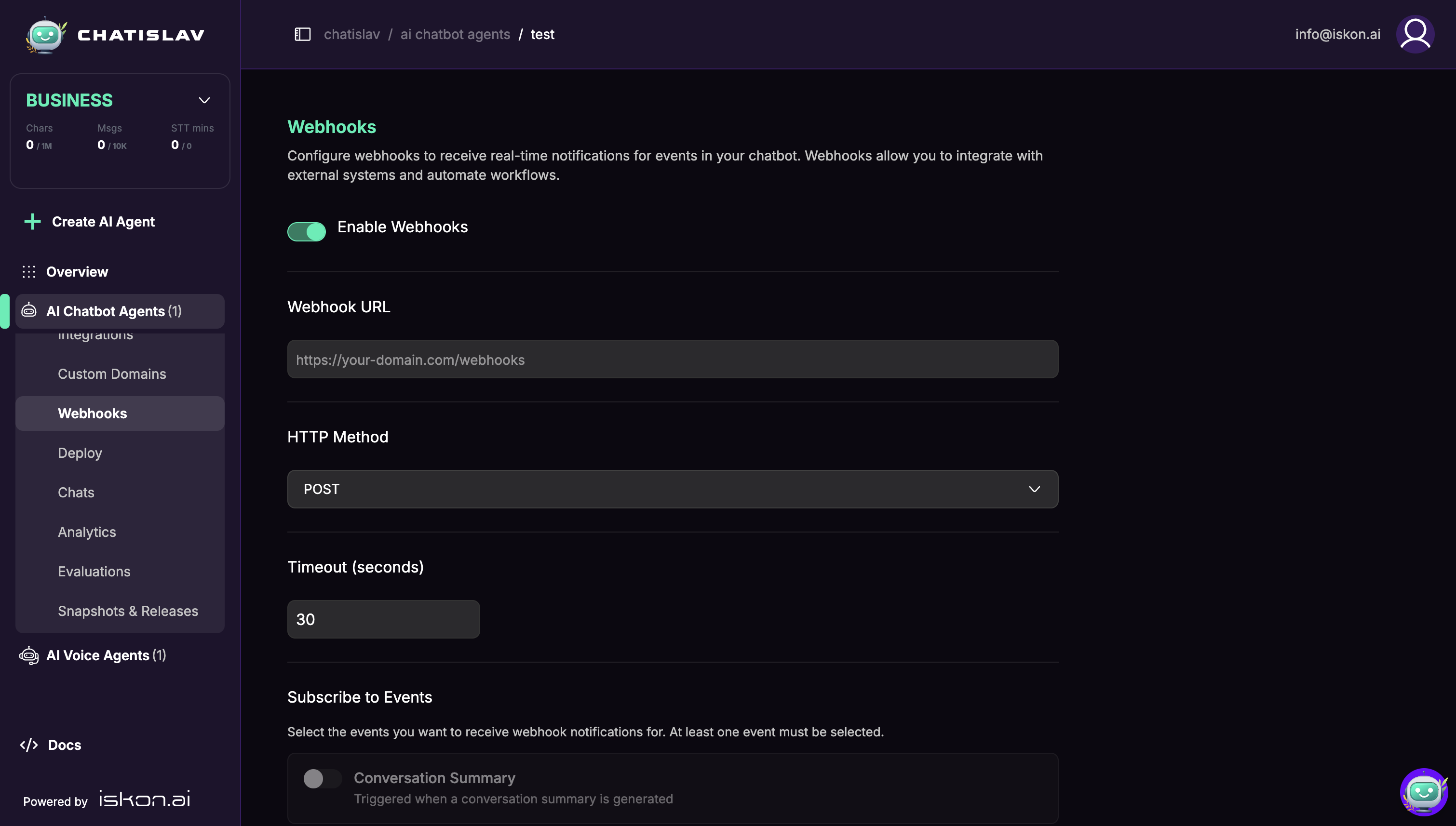
Configuring a Webhook
| Field | Description |
|---|---|
| Enabled | Turn the webhook on or off. |
| URL | The endpoint Chatislav will call, for example https://your-domain.com/webhooks. Use a public URL that Chatislav can reach. Localhost, private network, and internal hostnames are blocked. |
| Method | The HTTP method: POST or PUT. |
| Timeout | How long, in seconds, Chatislav waits for your endpoint to respond. The default is 30. |
Event Types
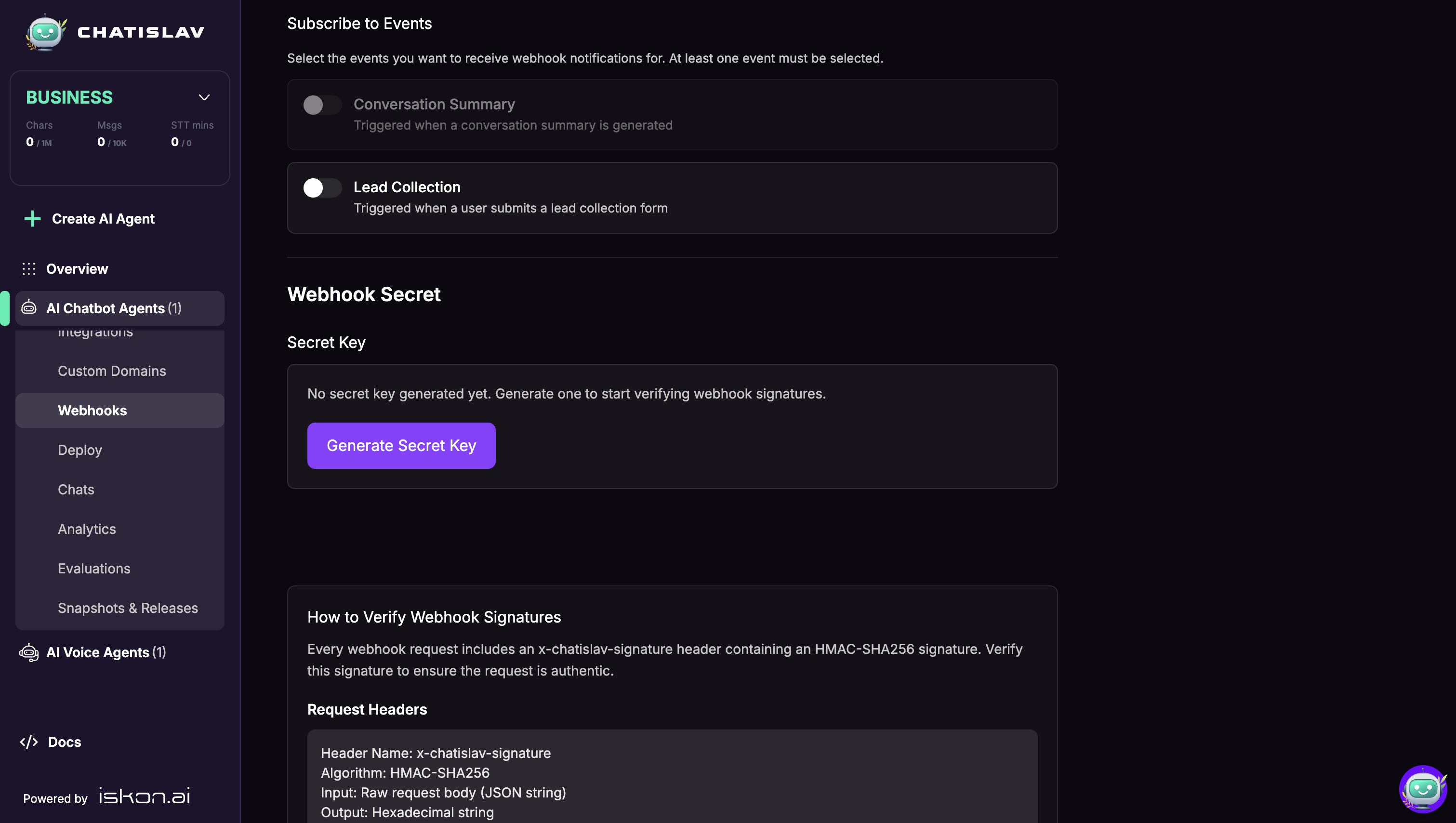
Choose which events trigger the webhook:
- Conversation Summary — sent when a conversation summary is generated (requires the AI Conversation Summary feature on your plan).
- Lead Collection — sent when a lead is submitted through a lead form.
Select at least one event. If no event is selected, the webhook is saved but no event will trigger a request.
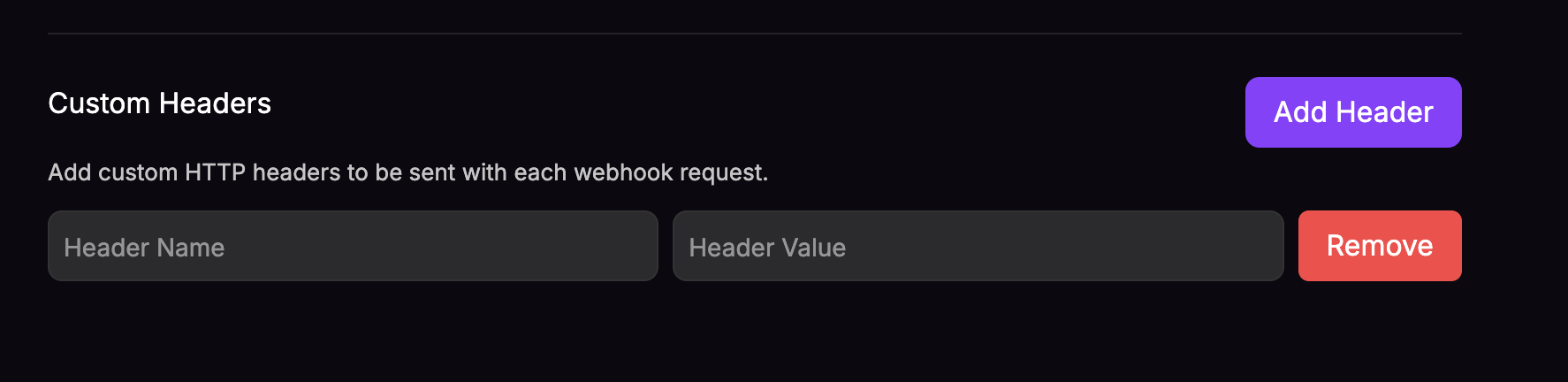
Custom Headers
Add any headers your endpoint requires (for example an authorization header). Use Add Header to add a key/value pair, and Remove to delete one.
Click Save after changing webhook settings. Changes are not applied until they are saved.
Webhook Payloads
Chatislav sends JSON with Content-Type: application/json.
Conversation Summary
{
  "event": "conversation_summary",
  "summary": {
    "...": "summary fields configured for your agent"
  },
  "timestamp": "2026-06-23T12:00:00.000000",
  "messages": [
    {
      "...": "conversation message data, when available"
    }
  ]
}
Lead Collection
{
  "event": "lead_collection",
  "data": {
    "user_id": "user identifier",
    "bot_id": 123,
    "bot_name": "Agent name",
    "chat_id": "chat identifier",
    "message_id": "message identifier",
    "form_data": [
      {
        "field": "email",
        "value": "customer@example.com"
      }
    ],
    "ip_address": "203.0.113.10",
    "collection_type": "lead_collection",
    "ai_summary": {
      "...": "AI summary data, when available"
    }
  },
  "timestamp": "2026-06-23T12:00:00.000000",
  "messages": [
    {
      "...": "conversation message data, when available"
    }
  ]
}
The exact fields inside summary, form_data, ai_summary, and messages depend on the agent configuration and the conversation.
Verifying Webhook Requests (Secret)
To confirm a request genuinely came from Chatislav, use the signing secret:
- Click Generate Secret (or Regenerate Secret to roll it), then copy and store the secret securely.
- When a secret is saved, Chatislav signs webhook requests and sends the signature in the
x-chatislav-signatureheader. - The signature is computed as HMAC-SHA256 over the raw JSON request body using your secret, and encoded as a hexadecimal string.
- On your endpoint, compute the same HMAC over the received body with your secret and compare it to the header. Reject the request if they do not match.
If no secret is generated, Chatislav sends the webhook without the x-chatislav-signature header.
The Webhooks screen includes ready-to-use verification examples for several languages.
Delivery Behavior
- Chatislav treats a
2xxresponse as successful. 5xxresponses, request errors, and timeouts are retried automatically.3xxand4xxresponses are treated as failures and are not retried. Use the final endpoint URL instead of a redirect.- Unsafe targets such as localhost, private IPs, and internal hostnames are blocked before Chatislav sends the request.
Best Practices
- Use HTTPS for production webhook endpoints.
- Generate a signing secret and verify the
x-chatislav-signaturebefore trusting a webhook payload. - Return a 2xx response quickly; do heavy processing asynchronously so you do not hit the timeout.
- Keep your secret private and rotate it if you suspect it has leaked.