Pricing & Policies
Use Pricing & Policies to define how AI Booking calculates prices, deposits, fees, and guest policies for a property.
Set up the Policy tab first, then add room prices and pricing rules that use those policy values.
Pricing Rules
In the Pricing Rules tab you create and manage rules that adjust the base room price. The rules list shows each rule's name, type, priority, active status, and edit/delete actions.
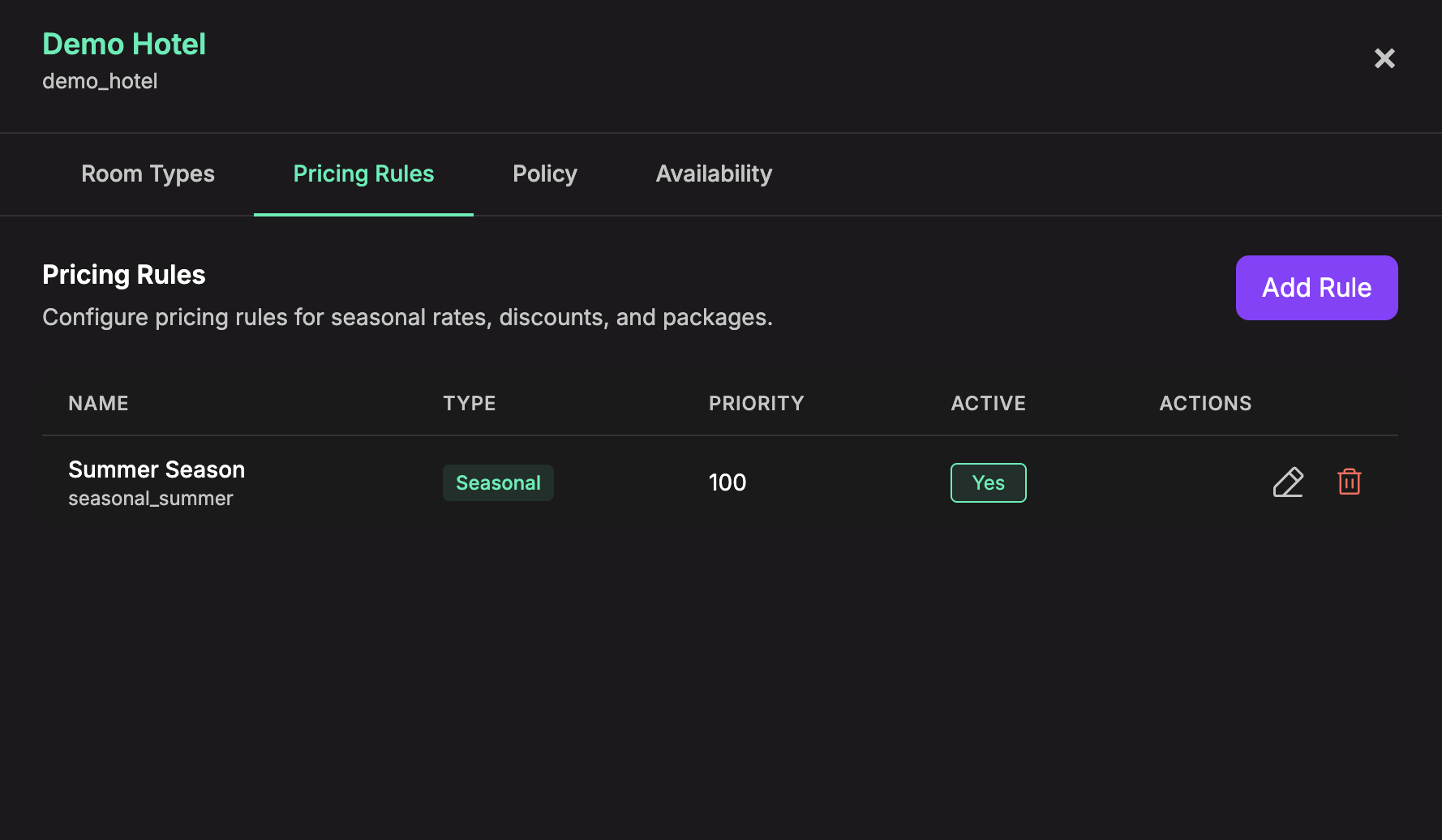
Click Add Rule to create a pricing rule.
Each rule has:
- Rule ID - a stable internal key for the rule. Choose it carefully because it cannot be changed after the rule is created.
- Rule Name - the readable name shown in the pricing rules list and applied rule breakdowns.
- Rule Type - the pricing behavior this rule uses. Rule type cannot be changed after the rule is created.
- Priority - controls rule order. Higher priority rules are applied first. Valid values are
1to10000. - Active - enables or disables the rule without deleting it.
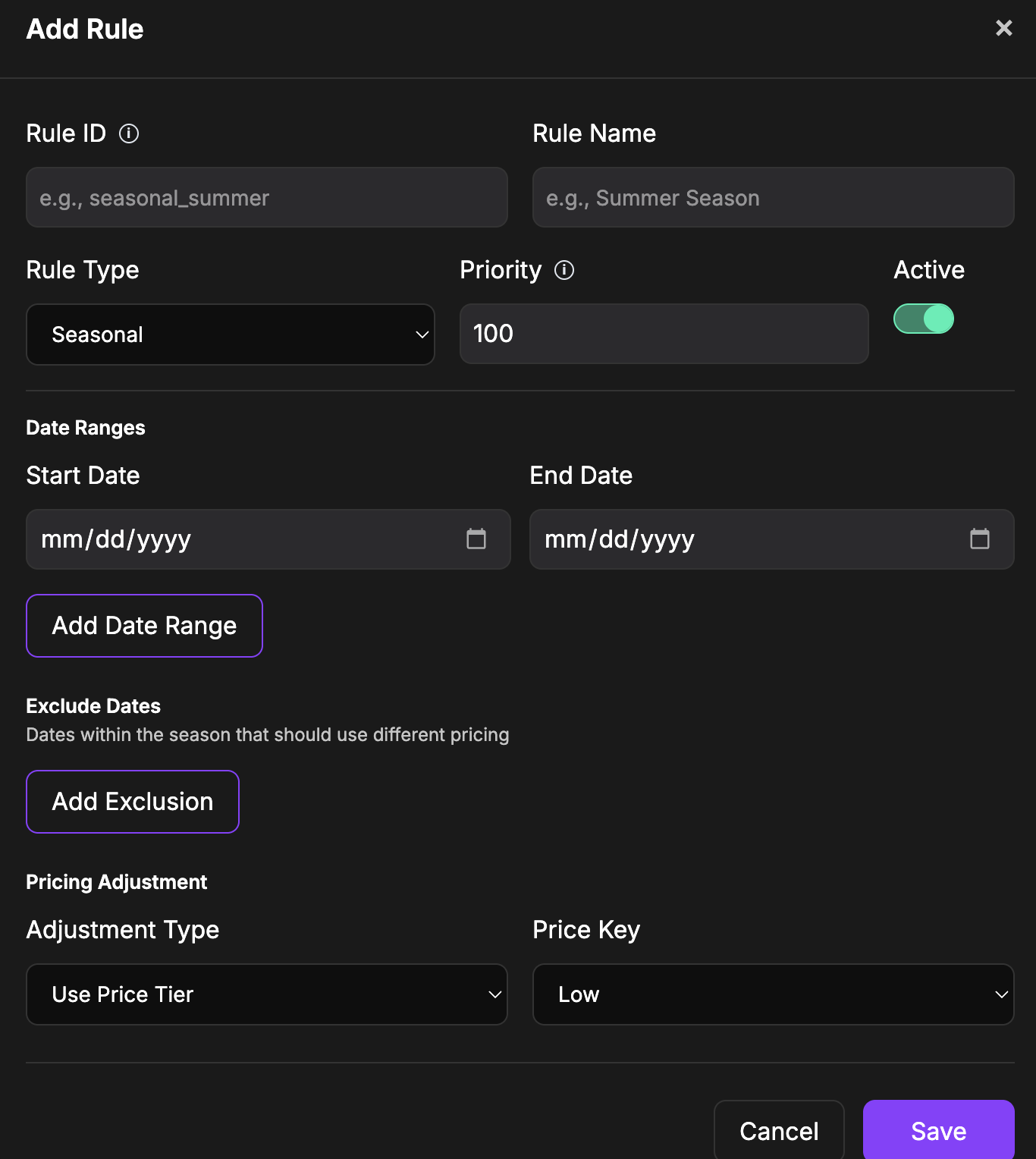
Available rule types:
- Seasonal - date ranges with a price tier, percentage, or fixed-amount adjustment. You can also exclude specific dates inside the season.
- Child Pricing - age-based child pricing tiers, including free, percentage-based, or fixed pricing.
- Single Occupancy - a multiplier for one-adult stays.
- Extra Adult - pricing for third and fourth adults.
- Length of Stay - stay-based promotions, such as free-night offers.
- Package - fixed package pricing for a stay or group, with optional duration, guest requirements, room-type prices, weekday discounts, and inclusions.
- Modifier / Tax - mandatory fees, taxes, or optional add-ons with a charge basis such as per stay, per night, or per person per night.
Policy
The Policy tab defines the default framework for pricing and booking responses.
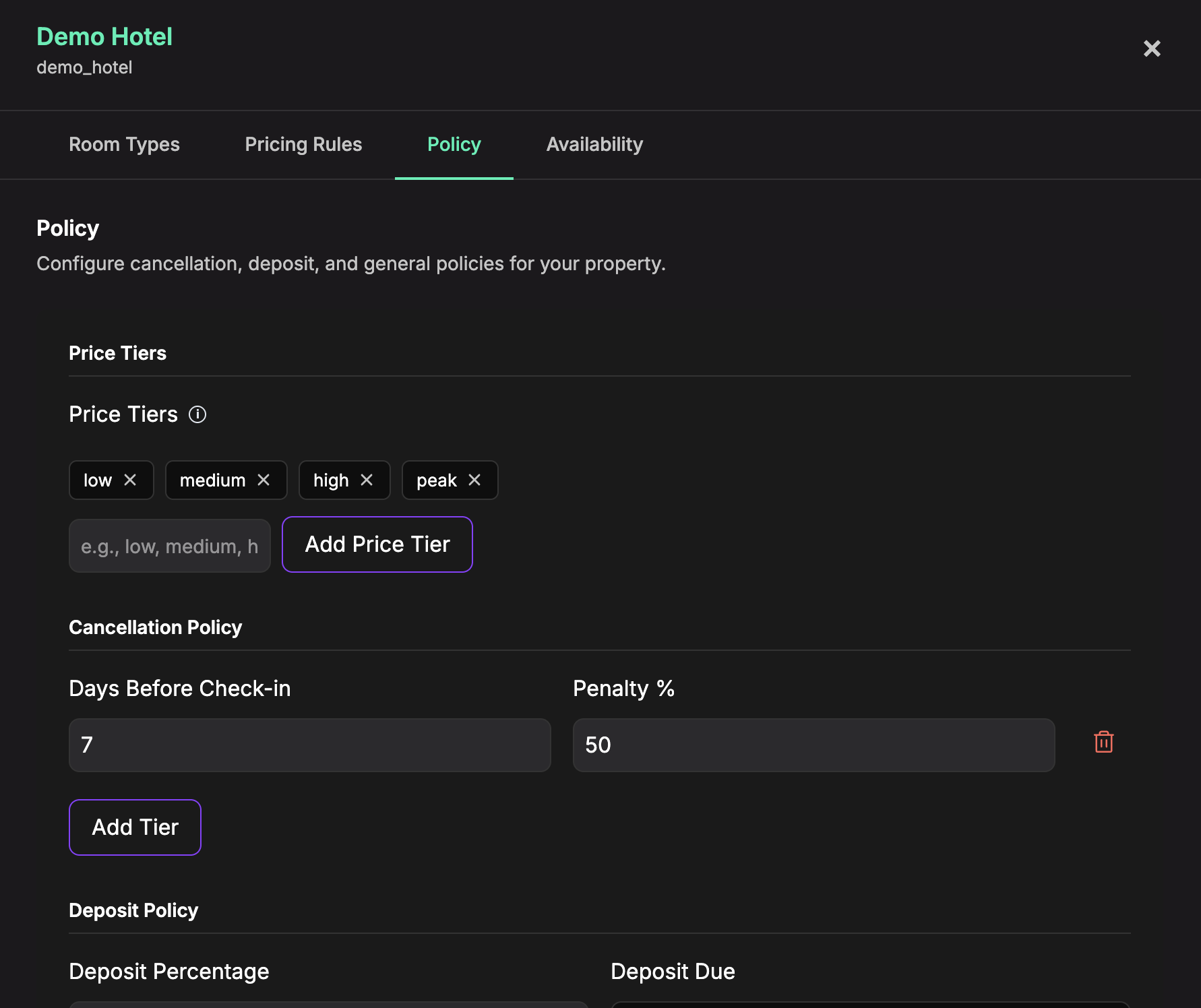
Configure:
- Price Tiers - keys used by room base prices and seasonal pricing rules. Default tiers are
low,medium,high, andpeak. - Cancellation Policy - one or more cancellation tiers with days before check-in and penalty percentage.
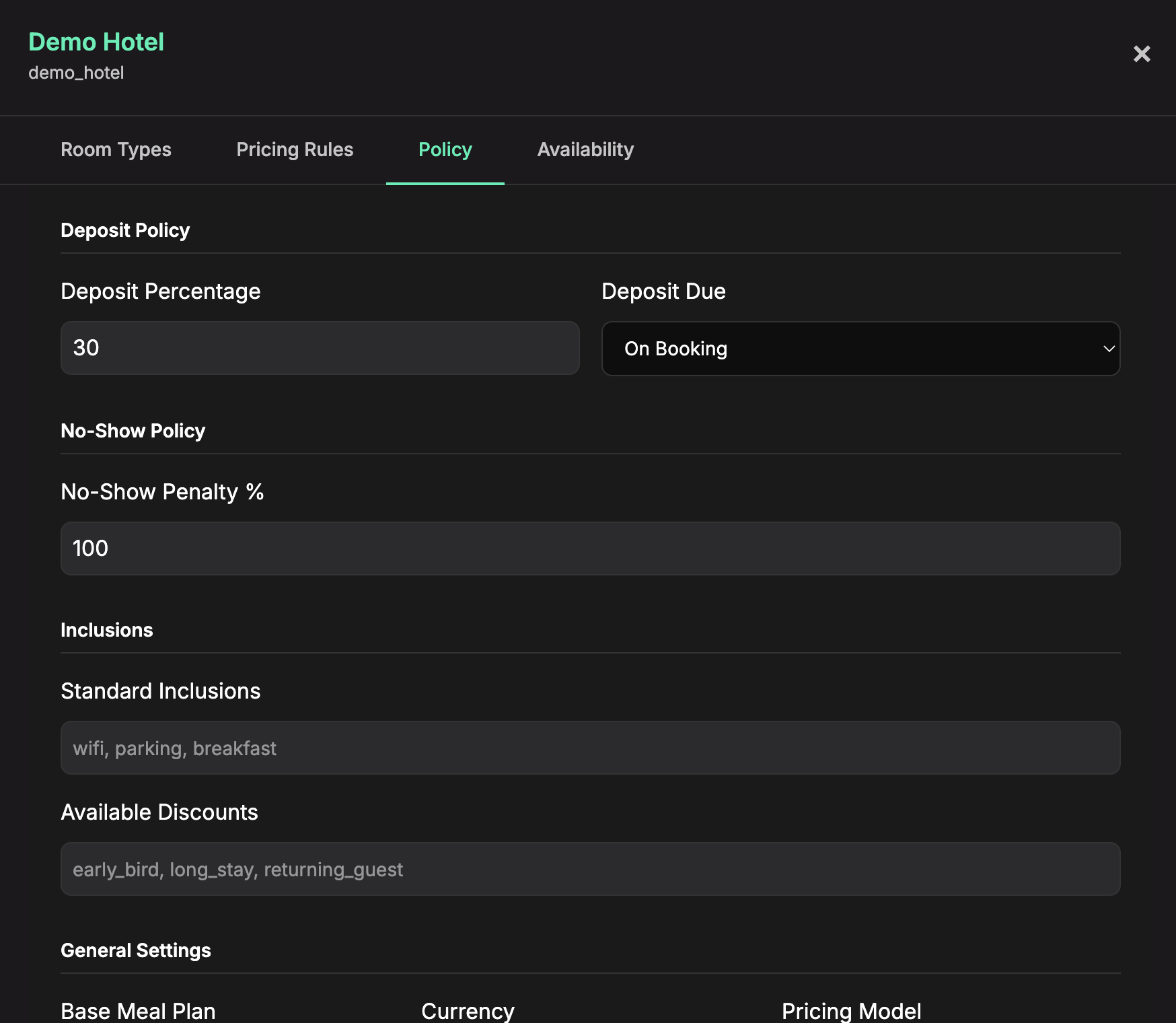
- Deposit Policy - deposit percentage and when it is due: on booking, 7 days before, or 14 days before.
- No-Show Policy - no-show penalty percentage.
- Inclusions - standard inclusions and discount labels, entered as comma-separated values.
- General Settings - base meal plan, currency, pricing model, age thresholds, and deposit rounding.
How Pricing Is Used
When the AI Booking availability action runs, Chatislav uses the saved policy, room base prices, and active pricing rules for the selected property.
The result can include the guest-facing final total, base total, mandatory fees, deposit amount, applied rules, and a price breakdown. Inactive rules are ignored.
Tips
- Create Price Tiers before configuring room base prices or seasonal rules.
- Add room types and base prices before relying on pricing rules in availability searches.
- Use Priority when more than one rule can affect the same stay.
- Disable a rule with Active when you want to test behavior without deleting the rule.