AI Booking Info
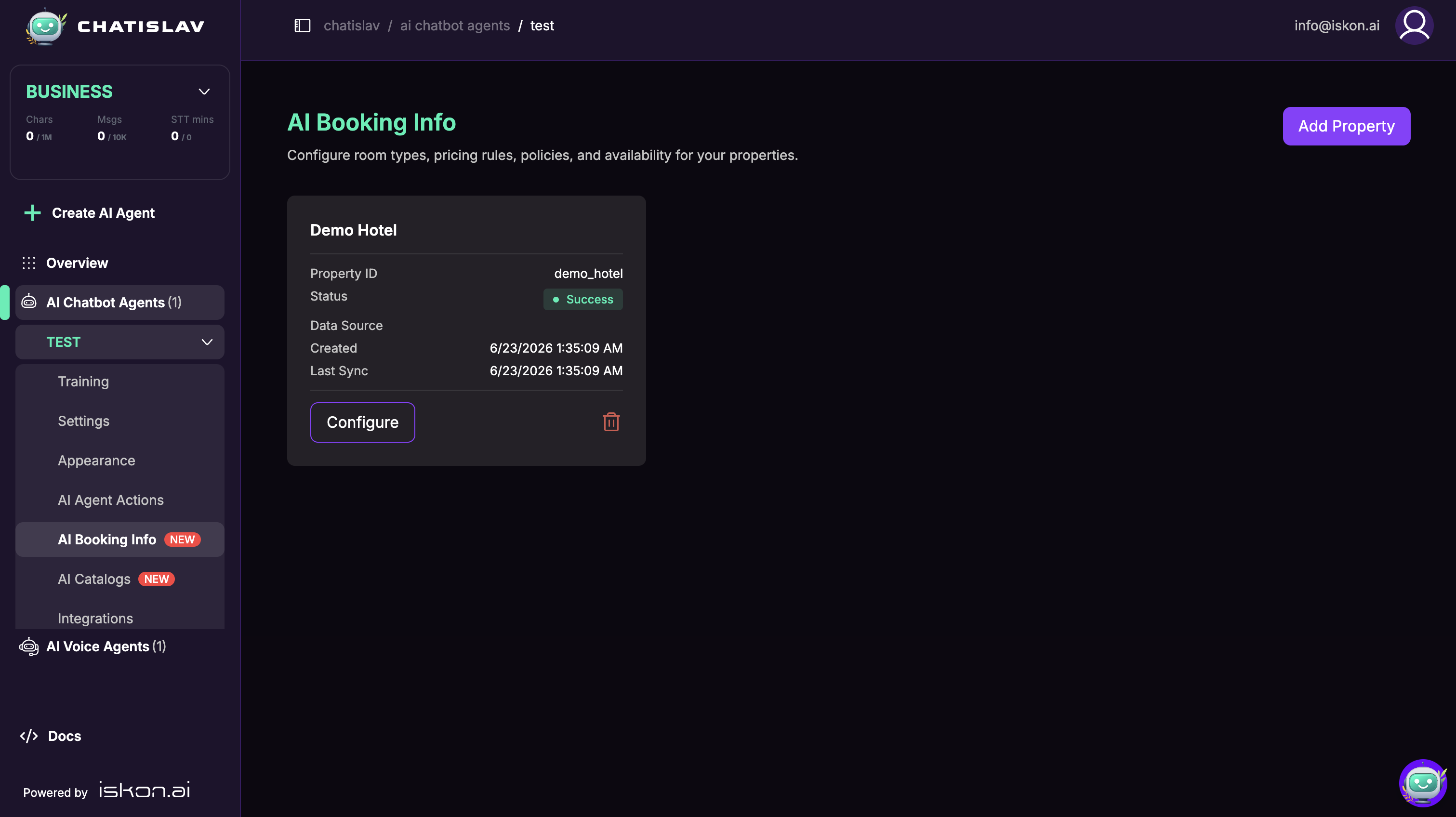
AI Booking Info lets your agent answer hotel or property availability and pricing questions from data you configure in Chatislav. You define properties, room types, pricing rules, policies, and availability data, then add the AI Booking — Check Availability action so the agent can search that setup during conversations.
AI Booking Info is available when the AI Booking Info add-on is enabled for your workspace.
How It Works
- Add a property (Property ID + Property Name).
- Configure the property across four tabs:
- Room Types — the rooms you offer, capacity rules, amenities, and base prices.
- Pricing Rules — seasonal rates, child pricing, packages, taxes, and more.
- Policy — price tiers, cancellation, deposits, currency, and general settings.
- Availability — load day-by-day availability from a file or Google Sheet.
- The agent uses the AI Booking — Check Availability action to answer availability and pricing questions.
See:
Property Status
Each property card shows the Property ID, sync status, data source, creation time, and last sync time. When availability data is loaded, the card also shows the number of availability rows.
Properties can be configured manually first, then connected to an availability file or Google Sheet later from the Availability tab.
Checking Availability in Conversations
The AI Booking — Check Availability action lets the agent search availability and pricing. In the action configuration you choose:
- Search Mode — Price & Availability, Price Only, or Availability Only.
- Properties and Room Types the action can search.
- Search parameters (check-in, check-out, adults, children ages, room type, property) — each can be filled by the AI or fixed to a set value.
- Response fields — which details to return (price breakdown, deposit, applied rules, warnings, and more).
AI Booking Info helps the agent answer booking questions from your configured data. It does not create or write confirmed reservations into an external PMS by itself.