Evaluations
Evaluations let you test and measure an AI chatbot agent's response quality with reusable evaluation sets. Use them to check important answers, review subjective quality, or replay real conversations before and after changes to your agent.
Accessing Evaluations
- In the left sidebar, select the AI chatbot agent you want to test.
- Open Evaluations.
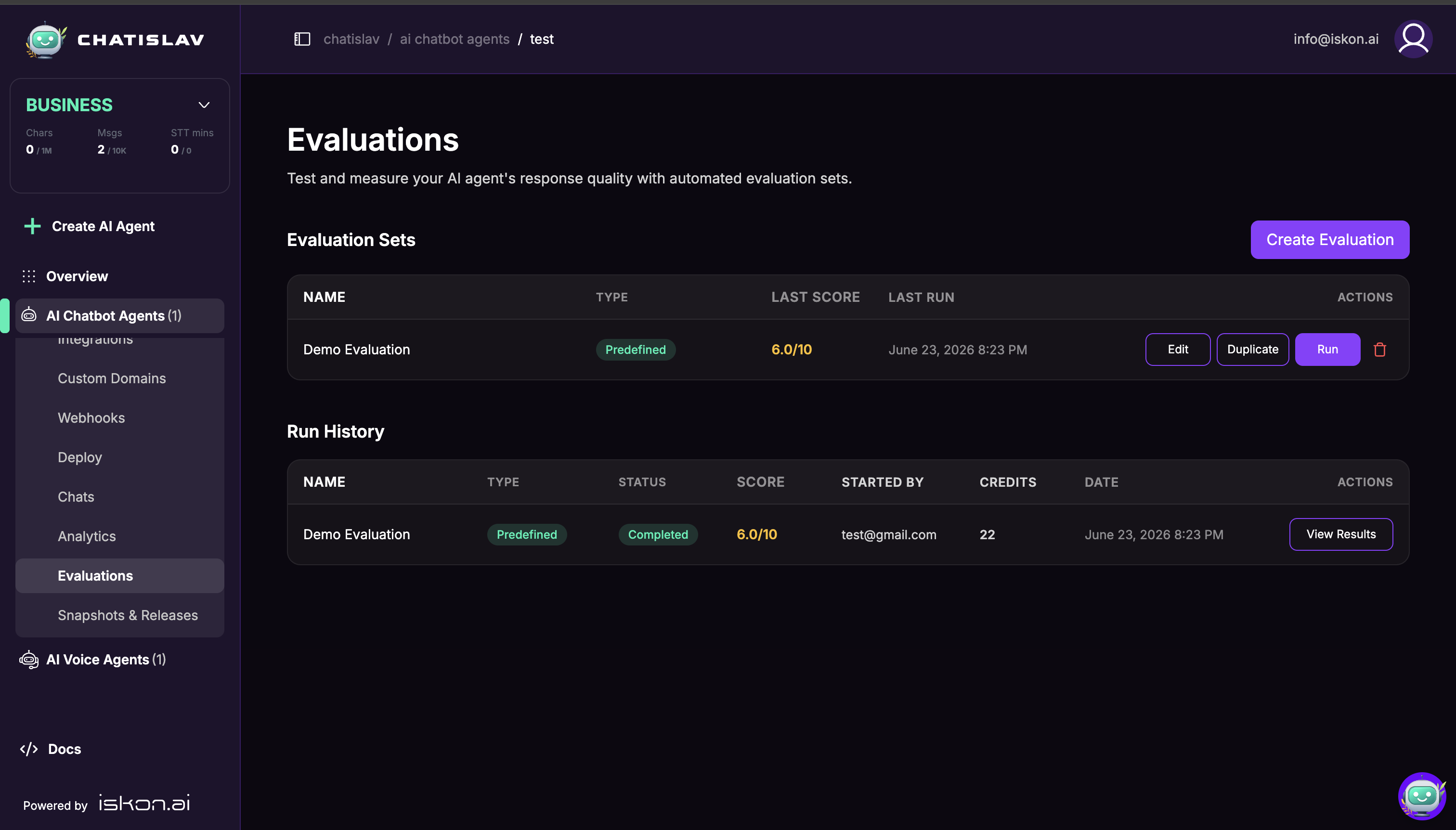
The page contains two sections:
- Evaluation Sets — saved tests you can edit, duplicate, run, or delete.
- Run History — previous and running evaluation runs with status, score, started-by user, credit usage, date, and result actions.
Evaluation Types
Each evaluation set uses one type. Choose the type based on what you want to measure.
| Type | Best For | Setup |
|---|---|---|
| Predefined | Accuracy checks against reference answers. | Add one or more user questions and an expected answer for each question. |
| AI-Driven | Qualitative checks such as tone, helpfulness, coverage, or style. | Describe the goals the AI should be judged against. |
| Session Replay | Regression and repeatability checks using a real conversation. | Enter a recorded Chat Session ID to replay and compare new output against historical replies. |
Creating a Predefined Evaluation
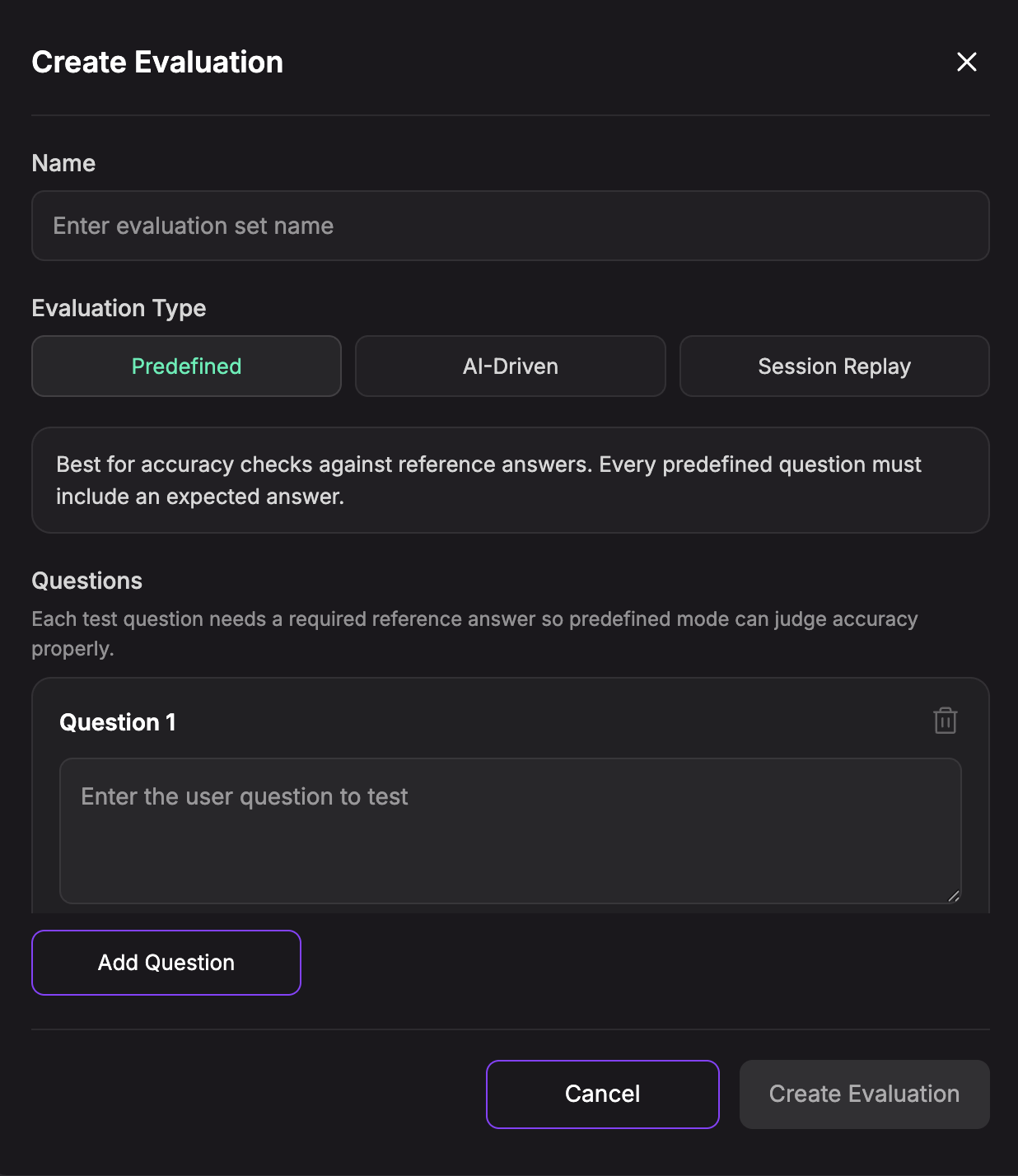
Use Predefined when there are specific questions your agent must answer correctly.
- Click Create Evaluation.
- Enter a Name.
- Select Predefined.
- Add each test Question.
- Add the required Expected Answer for each question.
- Click Create Evaluation.
Creating an AI-Driven Evaluation
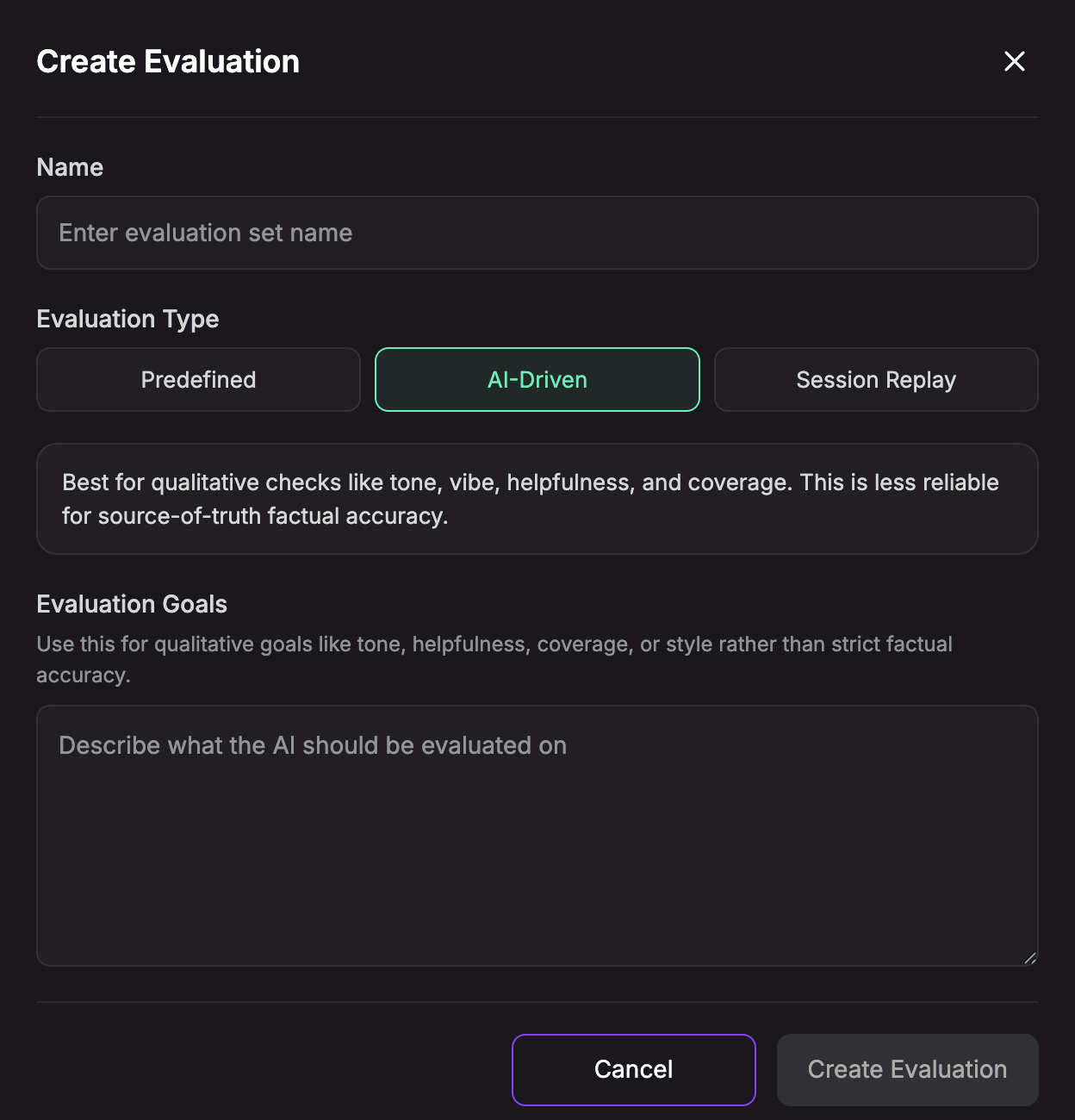
Use AI-Driven when you want to judge quality that is not a strict reference answer match, such as tone, helpfulness, coverage, or style.
- Click Create Evaluation.
- Enter a Name.
- Select AI-Driven.
- Describe the Evaluation Goals.
- Click Create Evaluation.
AI-Driven evaluations are useful for qualitative checks, but they are less reliable than predefined evaluations for source-of-truth factual accuracy.
Creating a Session Replay Evaluation
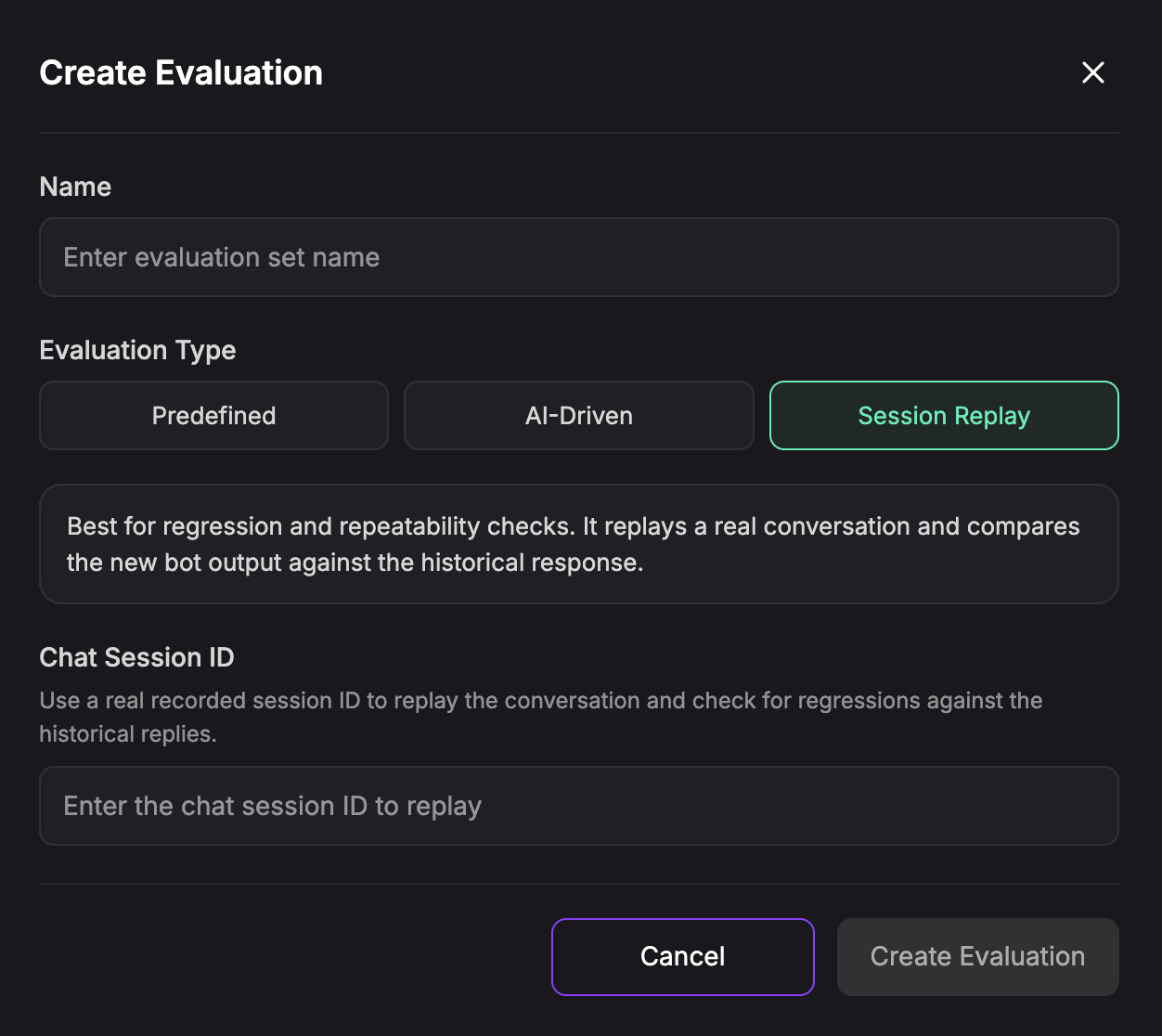
Use Session Replay when you want to check whether a real conversation still behaves correctly after prompt, training, model, or action changes.
- Click Create Evaluation.
- Enter a Name.
- Select Session Replay.
- Enter the Chat Session ID from a recorded conversation.
- Click Create Evaluation.
Creating Evaluations from Chats
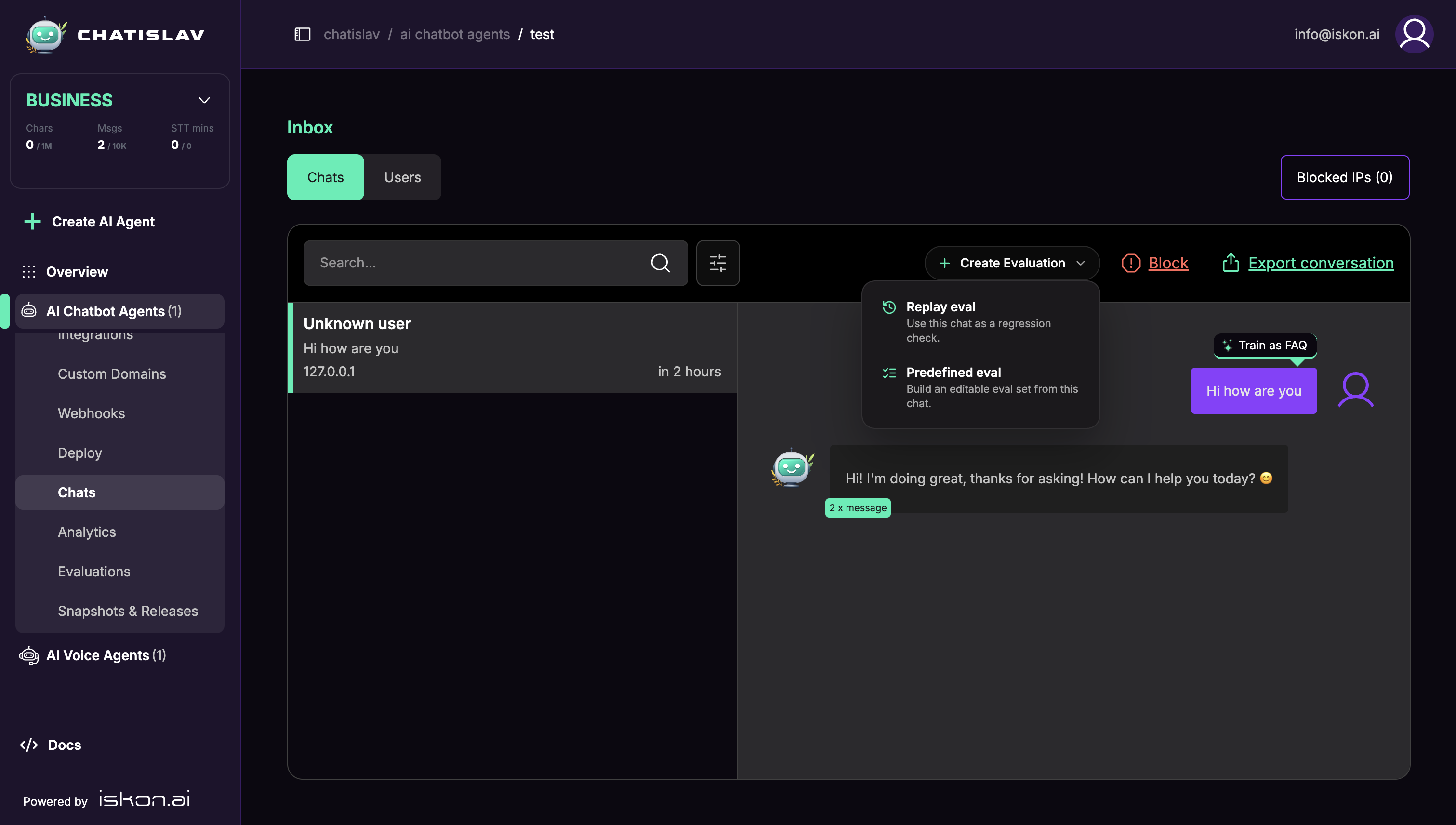
You can also start from a real conversation in Chats.
- Open Chats for the selected agent.
- Select a conversation.
- Click Create Evaluation.
- Choose Replay eval to create a session replay draft from the conversation, or Predefined eval to build an editable predefined evaluation from the chat.
Chatislav opens the Evaluations page with the draft ready to review before saving.
Running an Evaluation
From Evaluation Sets, click Run on the set you want to test. Chatislav asks you to confirm before starting because evaluation runs use credits while the agent and judge calls execute.
While a run is active, it appears in Run History with a running status. Running evaluations can be cancelled. If a run is cancelled after some results were written, those partial results remain available.
Reading Results
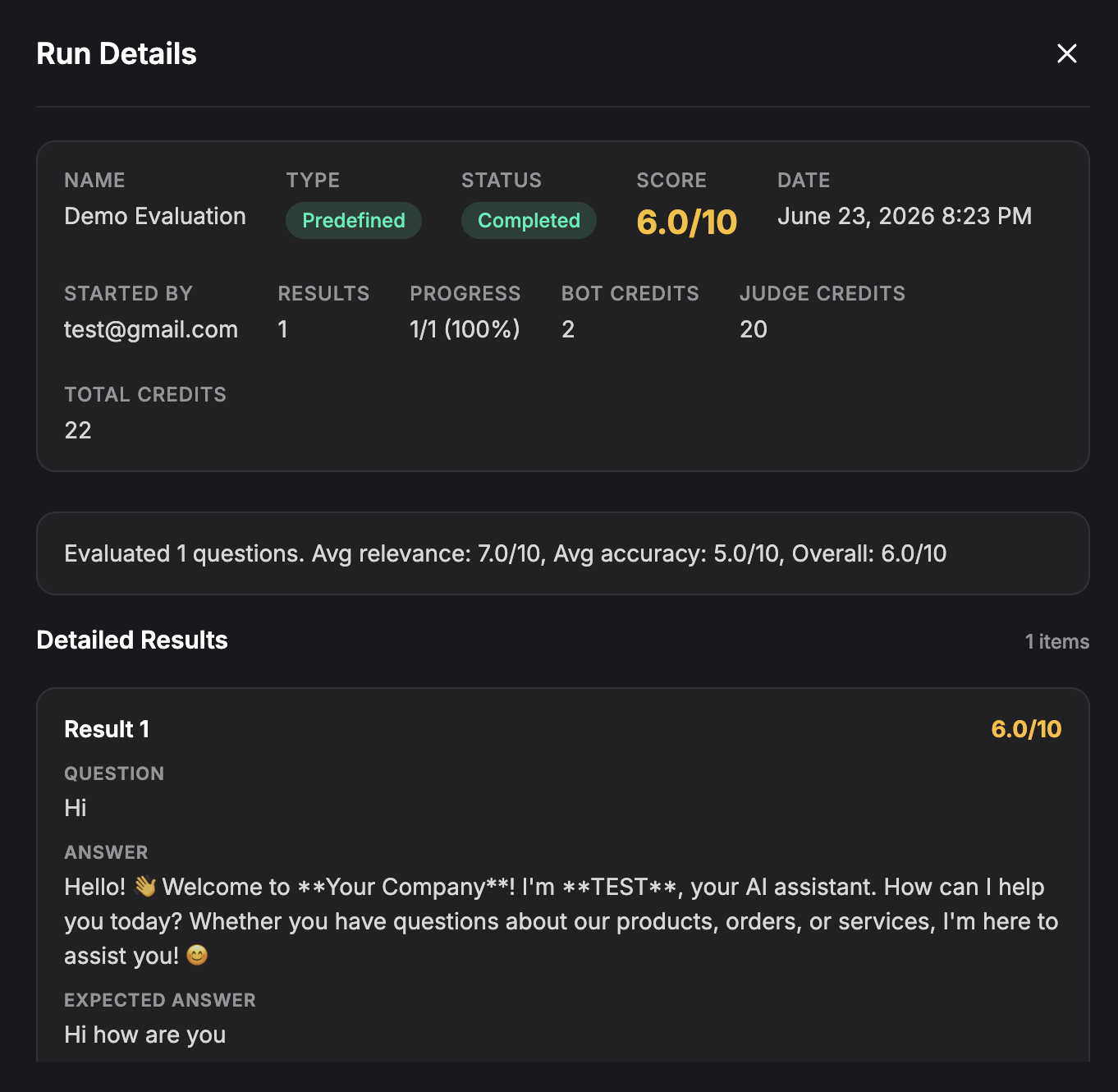
Open a run from Run History to review the result details.
Run details can include:
- Status and Score.
- Started by and run date.
- Progress and number of result items.
- Bot Credits, Judge Credits, optional Question Generation credits, and Total Credits.
- A summary of average metrics and overall score.
- Detailed result rows with the tested question, agent answer, expected or original answer, metric badges, and feedback.
Best Practices
- Use Predefined evaluations for business-critical factual answers.
- Use AI-Driven evaluations for subjective quality checks such as tone and coverage.
- Use Session Replay before publishing major prompt, training data, action, or model changes.
- Duplicate an evaluation set before making large edits so you can compare old and new versions.
- Review Run History over time to spot regressions after agent changes.