AI Booking — Check Availability
The AI Booking — Check Availability action lets your agent answer real-time availability and pricing questions using your AI Booking Info properties.
Before You Use It
Configure your AI Booking data first:
- Properties and Room Types define what the action can search.
- Policy defines currency, pricing model, deposits, inclusions, and age rules.
- Pricing Rules define seasonal, package, discount, and fee logic.
- Availability is required when the action needs to answer whether rooms are available for specific dates.
Add the Action
- Open your agent and go to AI Agent Actions.
- Click + Agent Action.
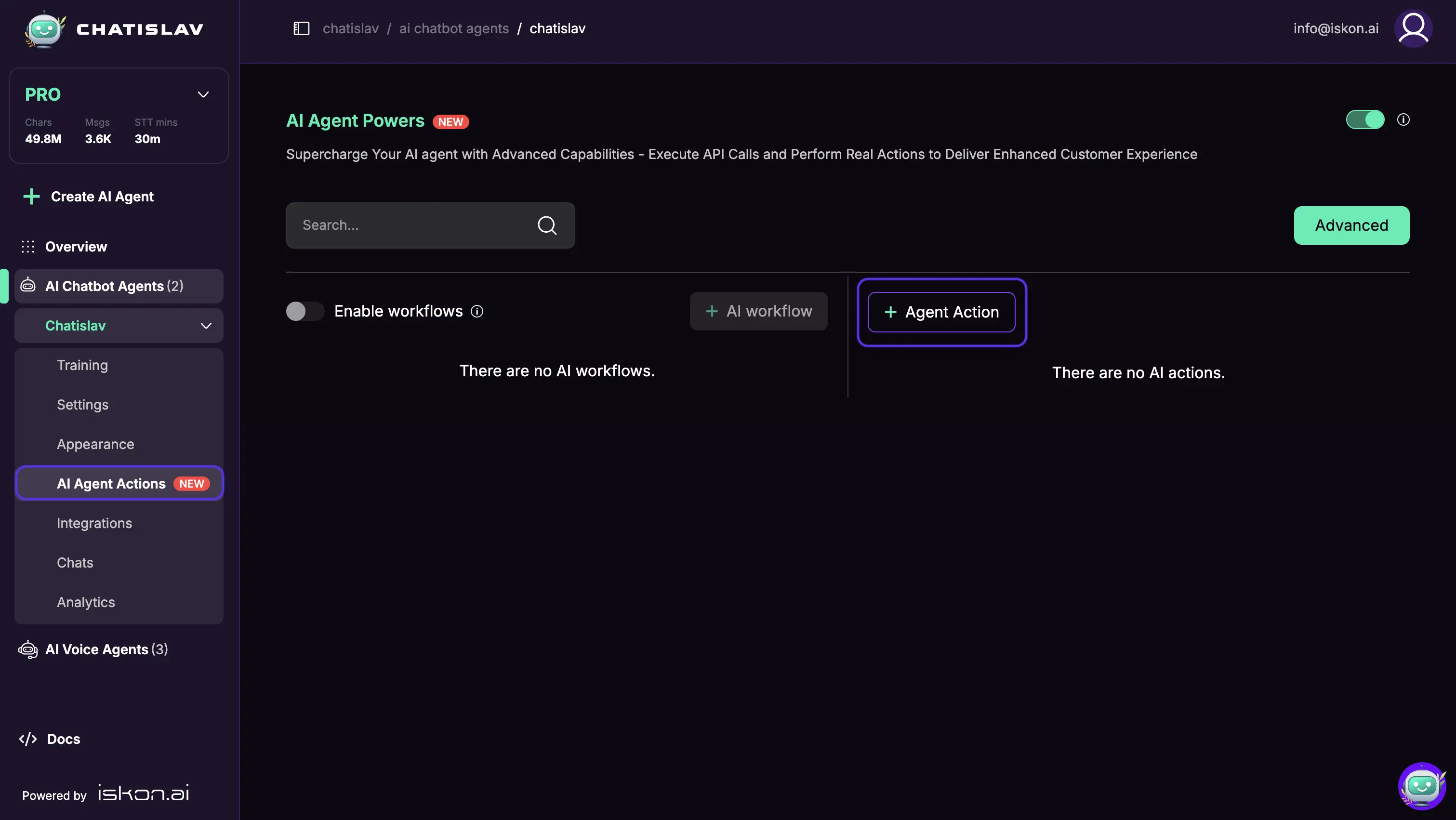
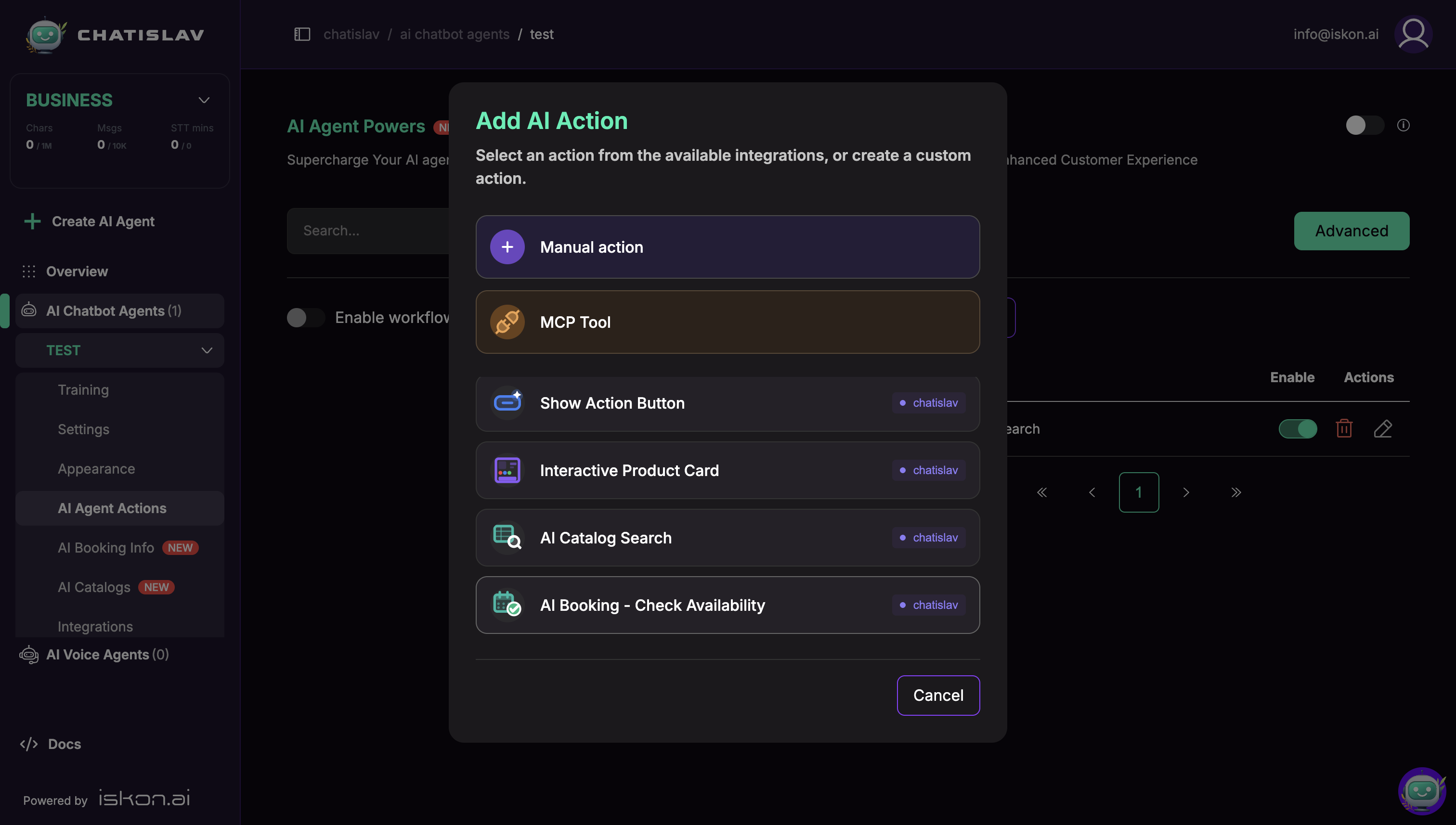
- Select AI Booking — Check Availability from the available system actions.
- Enable the action after you finish configuring its search mode, scope, parameters, and response fields.
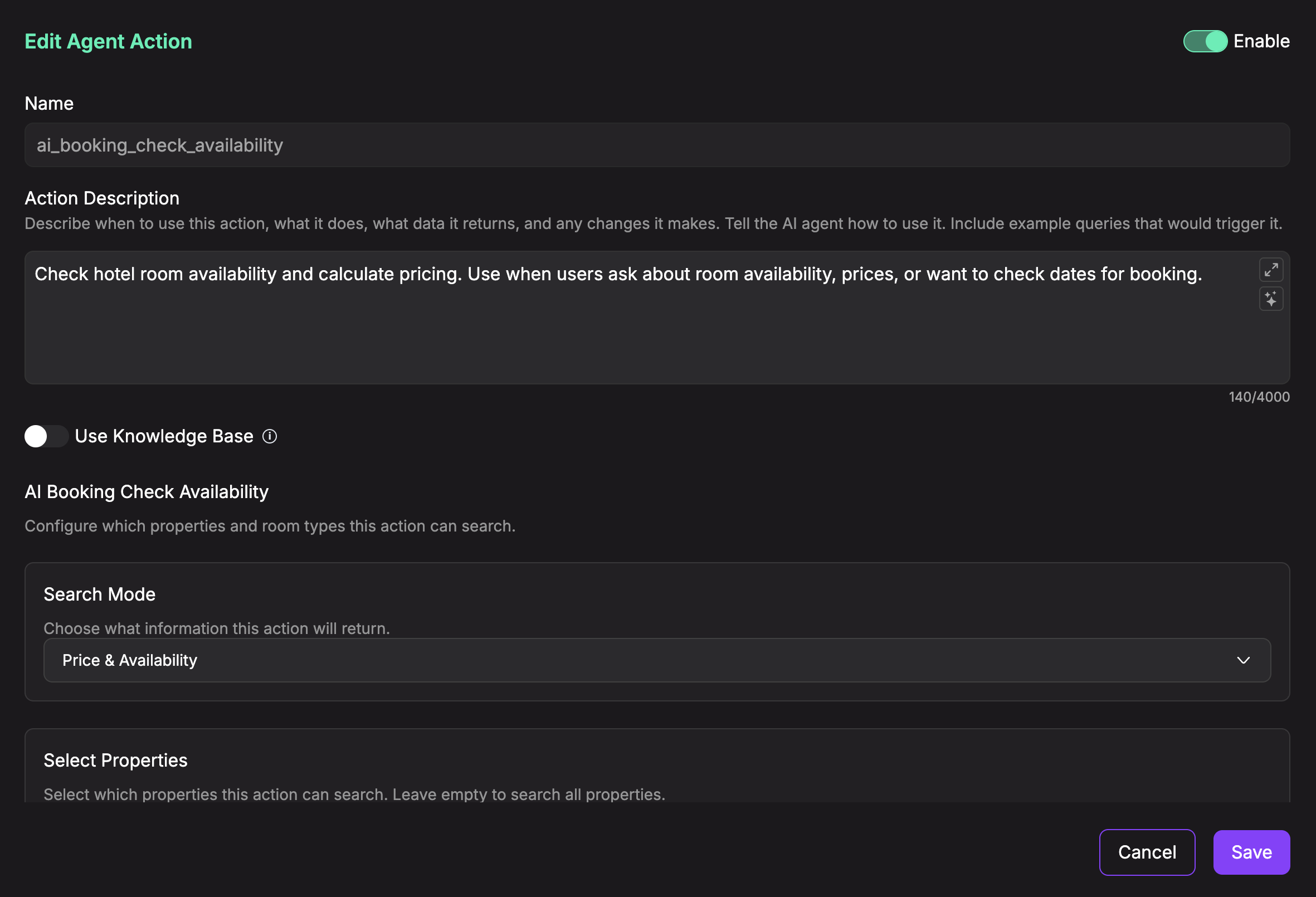
Search Mode
Choose what kind of booking information the action returns:
- Price & Availability — checks availability and calculates pricing for the selected dates. This is the default mode.
- Price Only — calculates pricing and ignores availability. If dates are not provided, it returns configured price tiers for the selected room types.
- Availability Only — checks availability without returning pricing fields.
Price & Availability and Availability Only require both check_in and check_out. Price Only can run without dates when you want the agent to explain available price tiers.
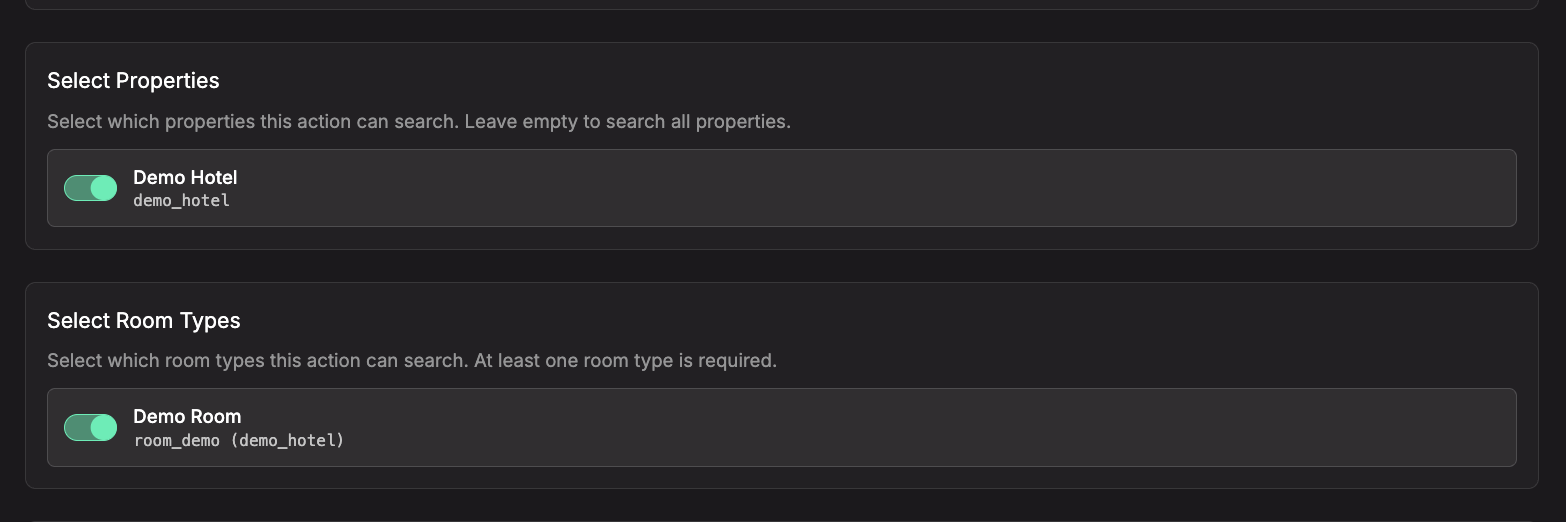
Scope: Properties & Room Types
- Select Properties — choose which properties this action can search. Leave empty to search all configured properties.
- Select Room Types — choose which room types this action can search. The UI expects at least one room type so the agent has clear room-type guidance.
Selecting properties filters the room-type list to room types for those properties. During the conversation, the agent is also told which configured room types and properties are available, so it can use the correct room_type and property_id values when filtering.
Search Parameters
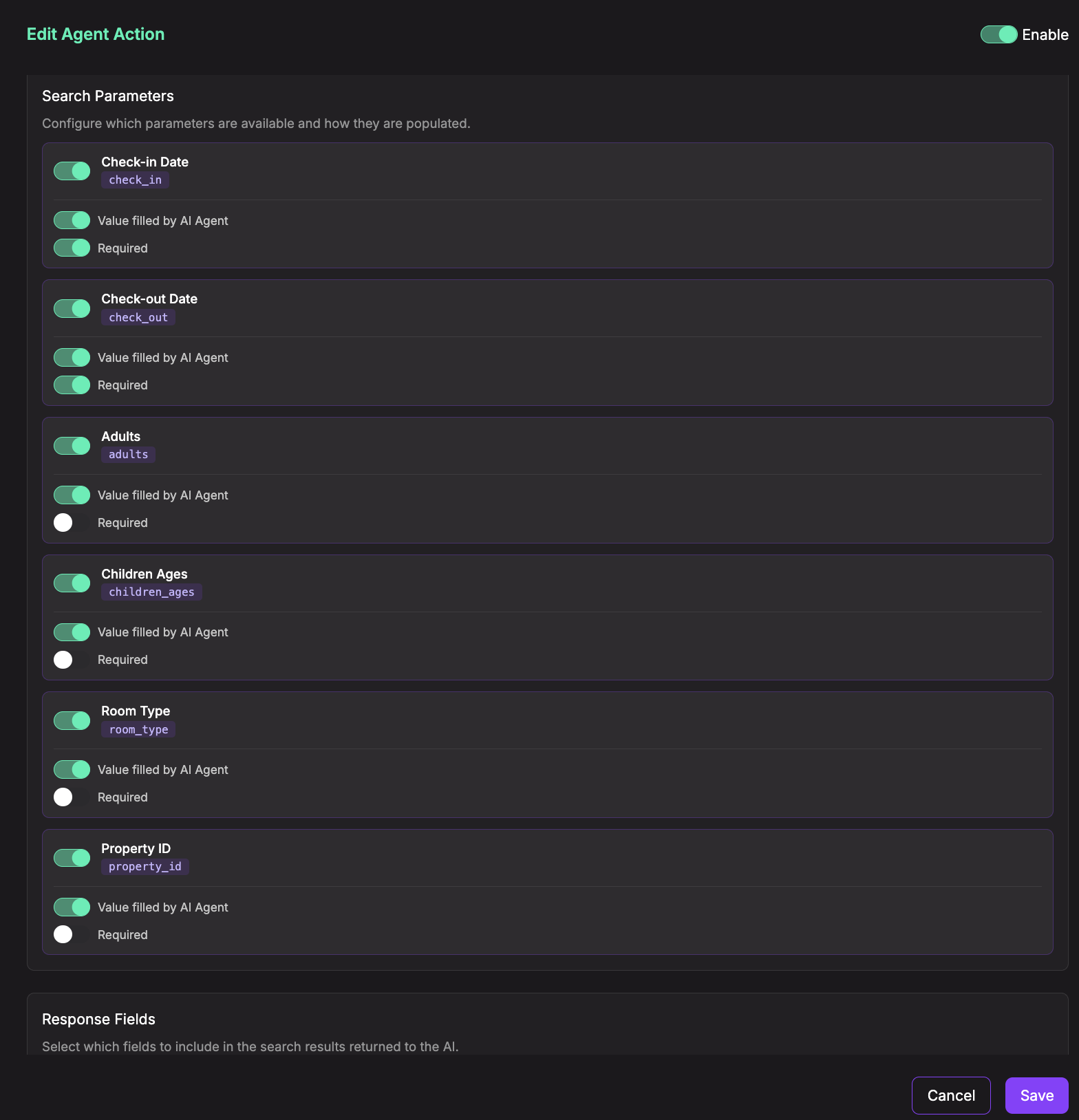
For each parameter, choose whether it is enabled and whether the AI determines the value from the conversation or you set a Fixed Value in the action configuration. AI-filled parameters can also be marked as required.
- Check-in Date (
check_in) — date inYYYY-MM-DDformat. - Check-out Date (
check_out) — date inYYYY-MM-DDformat. It must be after the check-in date. - Adults (
adults) — number of adults. If no value is supplied, Chatislav uses2. - Children Ages (
children_ages) — JSON array of ages, for example[5, 10]. - Room Type (
room_type) — optional room type ID to search one specific room type. - Property ID (
property_id) — optional property ID to search one specific property.
The maximum date range is 365 nights. For availability searches, both dates must be present; otherwise the action returns an error instead of guessing dates.
Response Fields
Select which room-result fields are returned to the agent. Unchecked fields are filtered out, so the AI cannot use them in its answer.
Common fields include:
- Identification —
room_type,room_name,property_id. - Stay details —
check_in,check_out,nights,adults,children_ages. - Availability —
available,unavailable_dates,min_stay_violation,warnings. - Pricing —
base_price_total,final_price_total,currency,applied_rules,price_breakdown,mandatory_fees. - Packages —
is_package,package_includes,package_pricing_mode,base_price_per_group_per_night,base_price_per_group_per_stay,base_price_per_adult_per_night,base_price_per_adult_per_night_equivalent. - Deposits and modifiers —
deposit_required,deposit_percentage,optional_modifiers.
Selecting a field only allows it to be returned when that search mode produces it. For example, Availability Only does not return pricing fields, and Price Only does not use live availability.
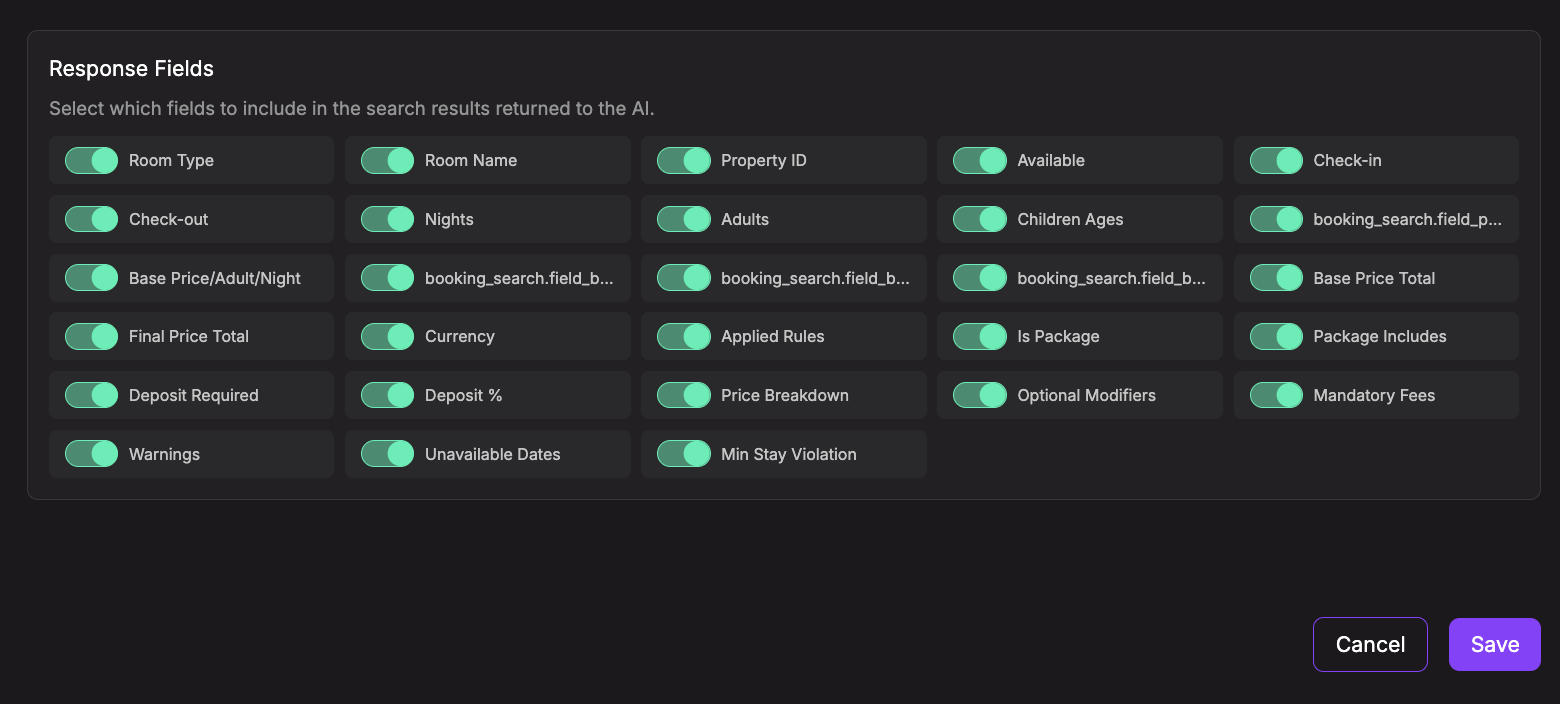
For booking answers, usually include Final Price Total and Currency. Final Price Total is the guest-facing total for the stay. Use Price Breakdown, Mandatory Fees, and Applied Rules only when you want the agent to explain how the price was calculated.
Tips
- Let the AI determine dates and guest counts so users can ask naturally, for example: "Do you have a room for 2 adults next weekend?"
- Use fixed
property_idorroom_typevalues when building an action for one specific property or room type. - Keep Response Fields limited to what the agent should mention. Include
room_name,property_id,available,final_price_total, andcurrencywhen the agent needs to present bookable options clearly. - Use Price Only without required dates when you want the agent to explain price tiers before the guest chooses exact travel dates.