Phone & SIP Calling
Beyond the web voice widget, a voice agent can answer phone calls. Customers dial a phone number and talk to your AI agent. Phone access is configured from the voice agent's Deploy page.
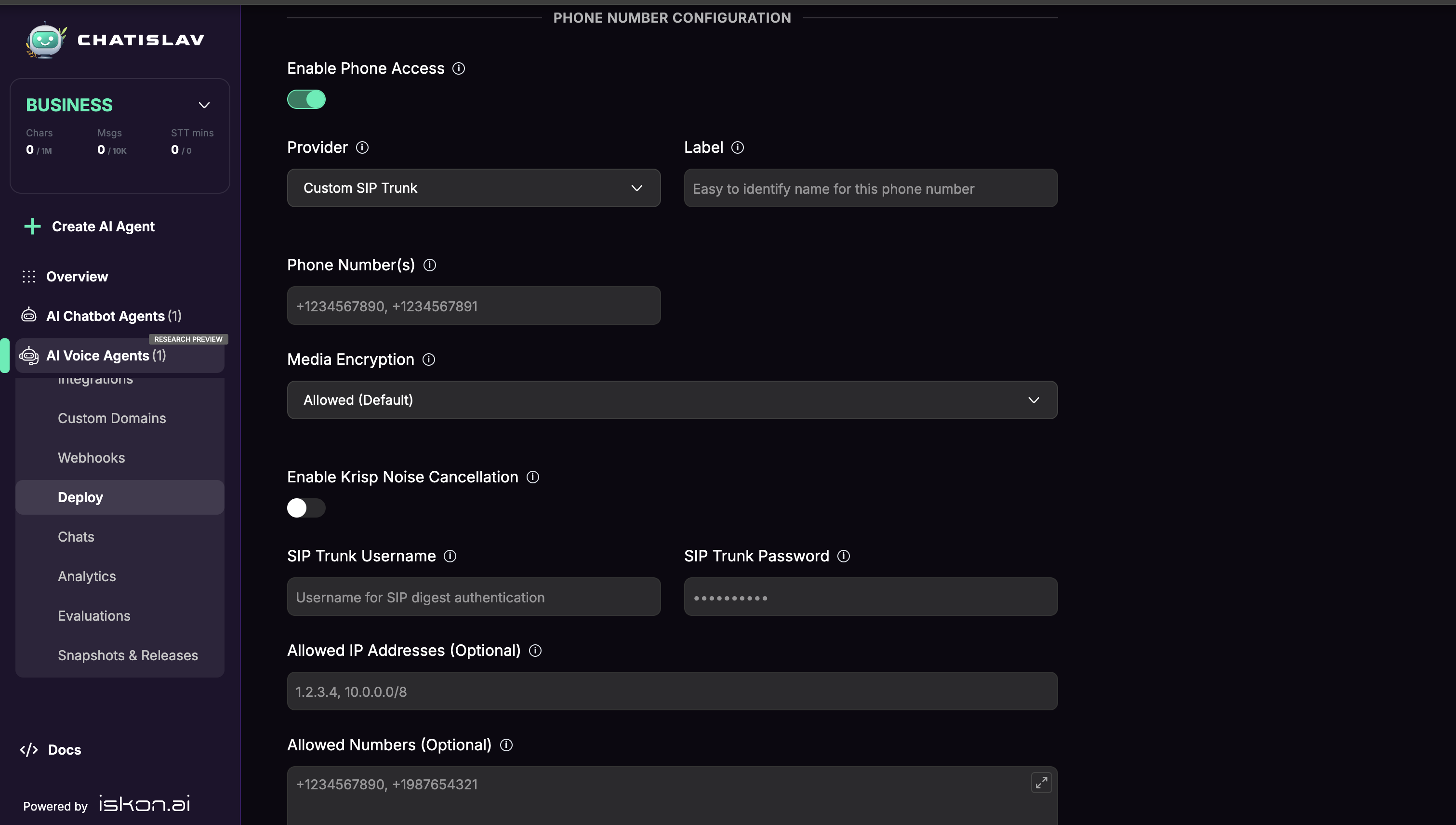
Enabling Phone Access
- Open your voice agent and go to Deploy.
- In Phone Number Configuration, turn on Enable Phone Access.
- Choose a Provider: Twilio or Custom SIP Trunk.
- Fill in the provider fields and click Save.
Twilio
For Twilio, provide:
- Label — a friendly name for the phone configuration.
- Phone Number(s) — the Twilio number connected to the agent.
- Twilio Account SID — your Twilio Account SID.
- Twilio Auth Token — your Twilio Auth Token.
- Allowed Numbers (Optional) — restrict which callers can use the trunk. Leave empty to allow all numbers.
Custom SIP Trunk
For a custom SIP trunk, provide:
- Label — a friendly name for the phone configuration.
- Phone Number(s) — the inbound number or numbers connected to the agent. Use comma-separated values when your SIP setup supports multiple numbers.
- Media Encryption — Allowed (Default), Required, or Disabled.
- Enable Krisp Noise Cancellation — apply noise cancellation to inbound call audio.
- SIP Trunk Username and SIP Trunk Password — optional SIP digest authentication credentials.
- Allowed IP Addresses (Optional) — restrict which IP addresses or CIDR blocks can call through the trunk.
- Allowed Numbers (Optional) — restrict which caller numbers can use the trunk.
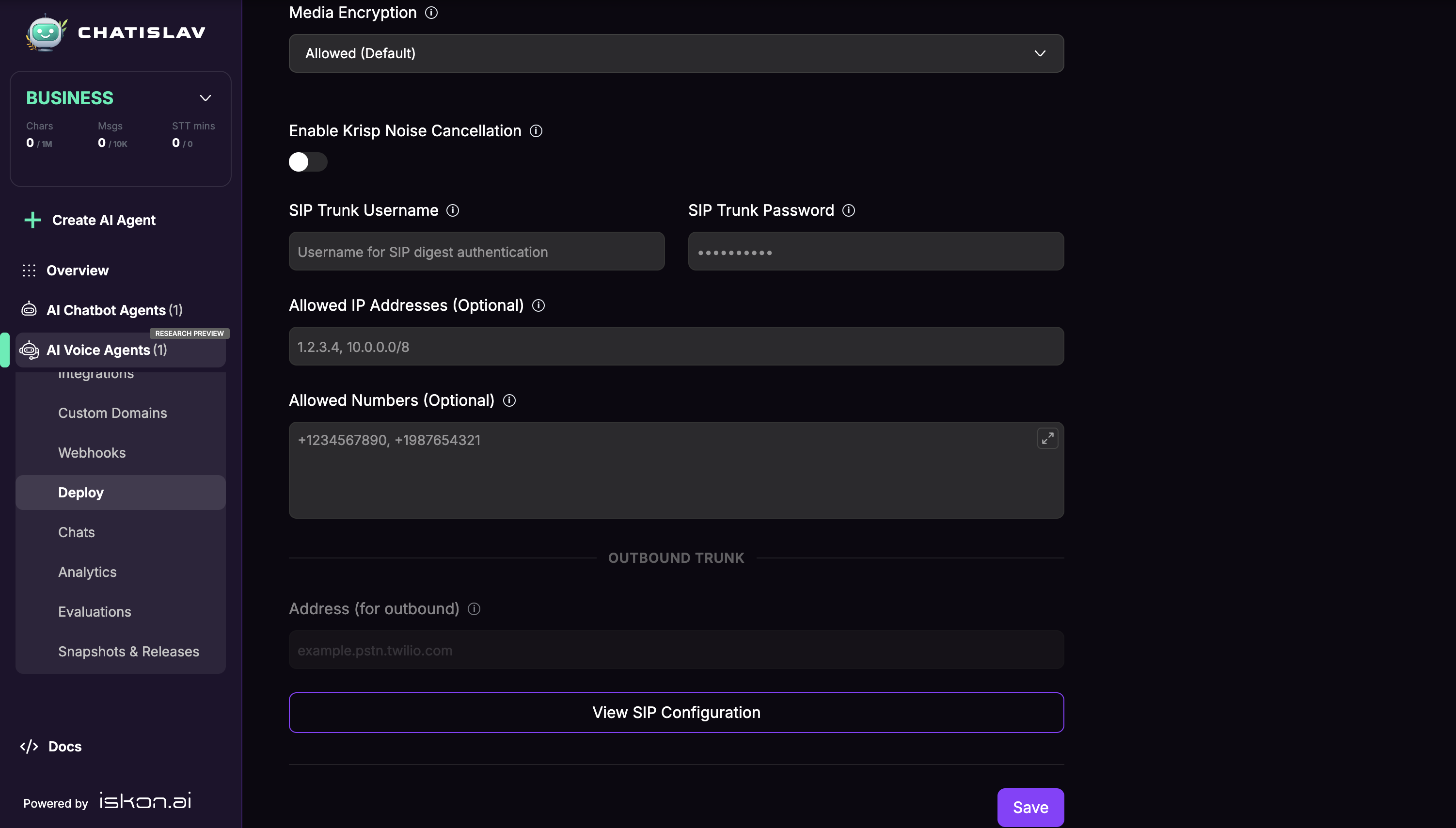
View SIP Configuration
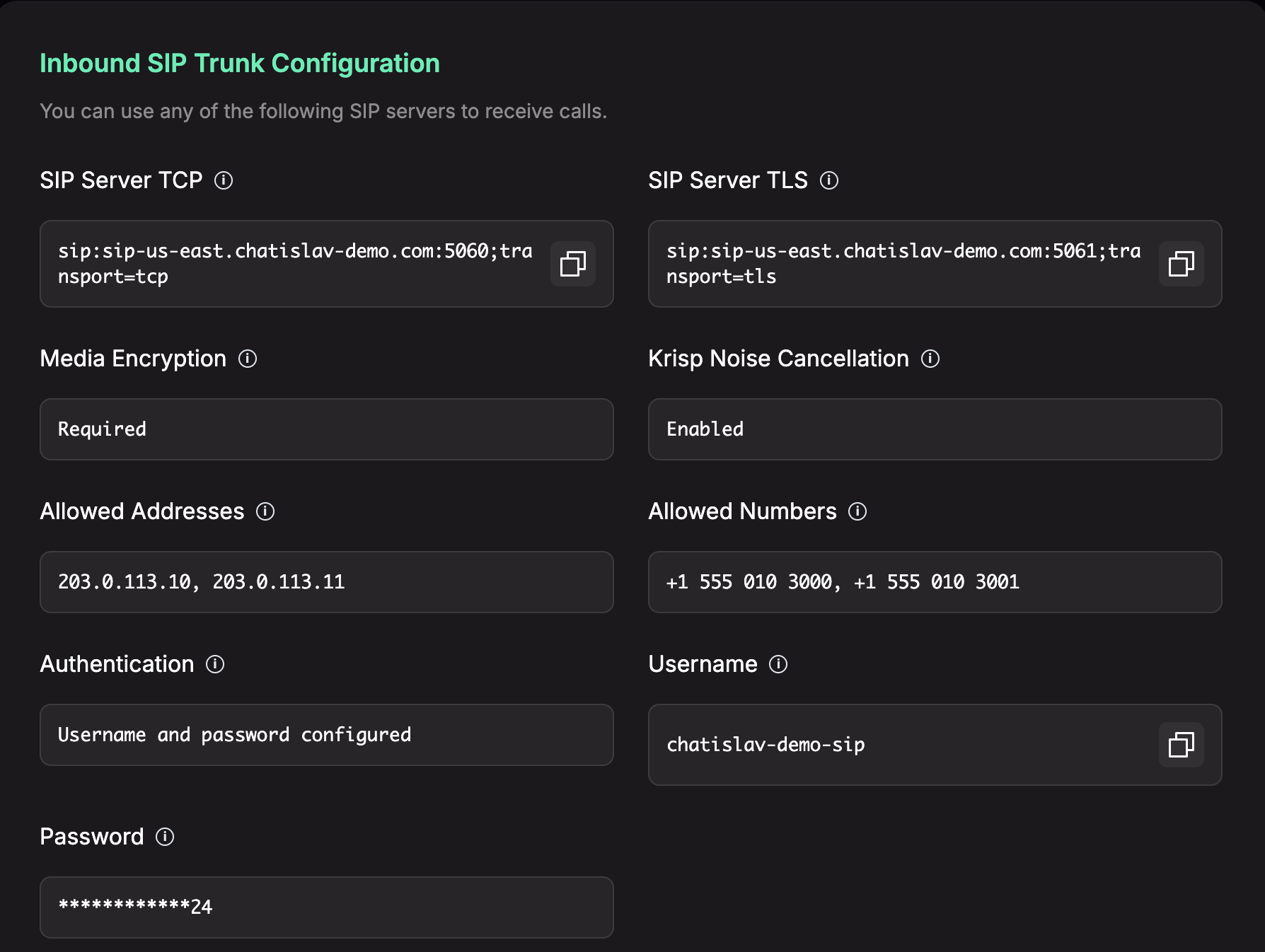
After saving a Custom SIP Trunk, click View SIP Configuration to open the inbound SIP provisioning details. Use this modal to copy the SIP server addresses and confirm the media encryption, allowed numbers, authentication, and username values needed by your SIP provider.
Transfer to a Human
A voice agent can transfer a live phone/SIP call to a human phone number or SIP URI using the Transfer to Number action. Configure the transfer rules and messages in AI Agent Actions. See Transfer to Number.
Best Practices
- Keep your provider credentials (Twilio Auth Token, SIP password) private.
- Test an inbound call end to end before publishing the number to customers.
- Set a sensible Max Call Duration in Voice Settings to avoid runaway calls.