Image Search
AI Catalog can find products by image. Upload a reference photo and Chatislav returns visually similar catalog items, ranked by similarity.
Image search is available when the catalog is Ready and has at least one image column. Image columns should contain reachable http:// or https:// image URLs.
Set Max images per product when configuring the catalog schema. This controls how many image URLs per product are prepared for image search and product-card image display.
Trying Image Search from the Catalog
Use this to test whether a catalog can find visual matches before adding it to an agent action.
- On a ready catalog card with image search available, click Search by Image.
- In the Search by Image dialog, drop or choose a reference image (JPG, PNG, WEBP, or another common format).
- Run the search. Chatislav shows Visual matches ranked by a similarity score, each with the product image, name, a similarity percentage, and key details.
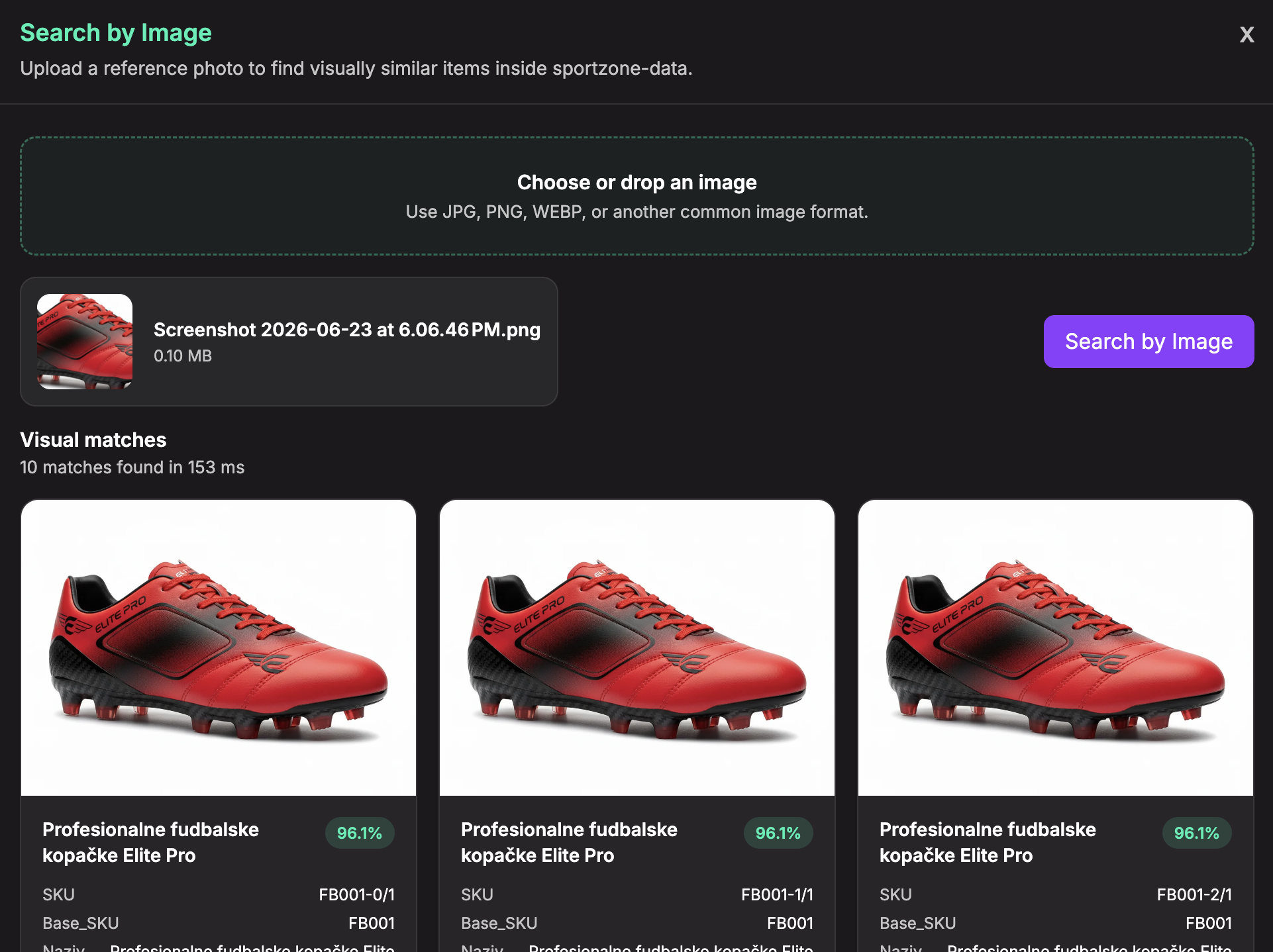
Image Search in Conversations
To let end users upload an image in chat and search the catalog by image:
- Enable Image Upload and Semantic image search in the agent settings.
- Add the Data Search (AI Catalog) action to the agent.
- Select a catalog with image-searchable image columns.
- Enable Use uploaded chat images in the action and set the image similarity threshold.
When image search is enabled and the Data Search action runs in find mode, Chatislav can use the uploaded image automatically. The AI does not need to pass image bytes or image URLs.
Catalog image search is separate from image analysis:
- Catalog image search — find visually similar catalog products (described here).
- Image analysis (vision) — let the agent look at an uploaded image and answer questions about it.
See the agent's image-upload settings in Configure essential settings.
Tips
- Use clear, well-lit reference images for the best matches.
- Use direct product image URLs in image columns. Broken or blocked URLs cannot be matched.
- If some product image URLs cannot be processed, the catalog can still become ready, but only successfully processed images are searchable by image.
- Keep product images consistent when possible, for example similar angles, clean backgrounds, and one main product per image.