Overview Dashboard
The Overview is your home dashboard. It gives you an at-a-glance summary of how all your agents are performing and where your account stands against your plan.
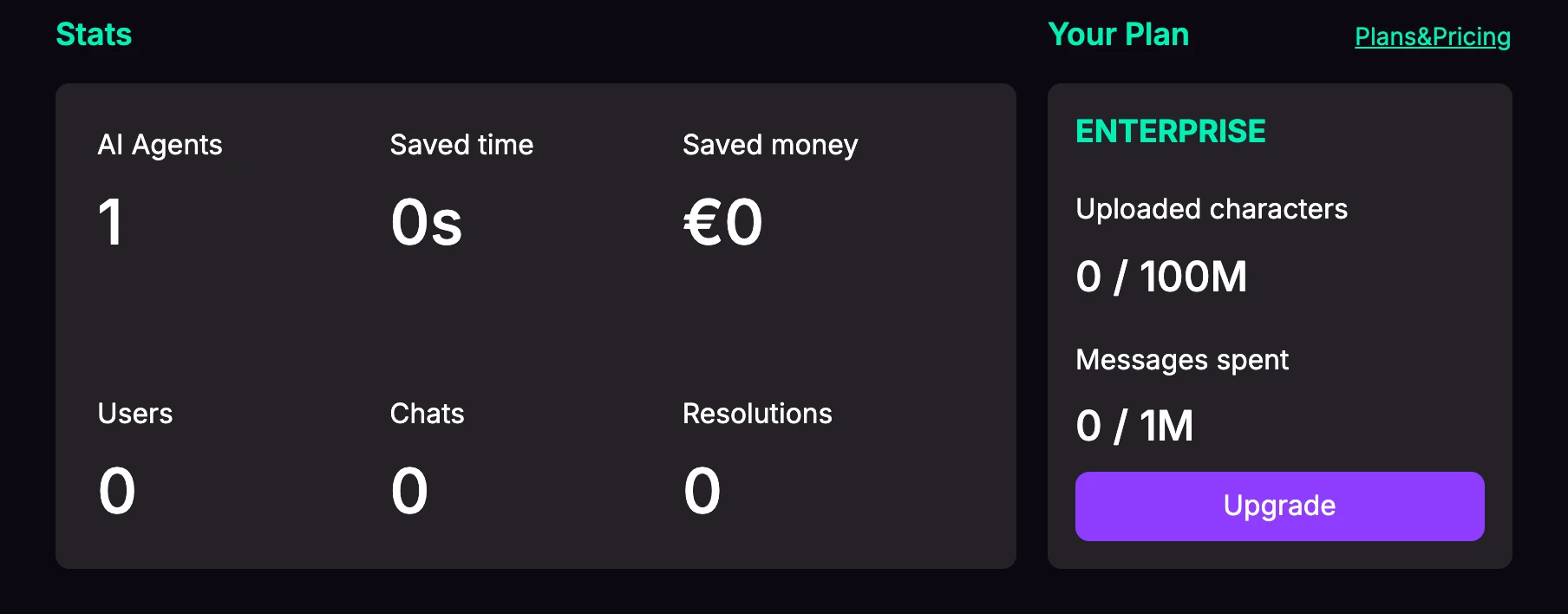
Workspace Statistics
The top of the dashboard shows aggregated stats across your agents:
- Bots — the number of agents you have.
- Saved Time — estimated time saved by automated conversations.
- Saved Money — estimated cost saved.
- Users — number of unique users.
- Chats — total conversations.
- Resolutions — number of resolved conversations.
Plan & Usage
A usage panel shows where you are against your plan limits:
- Uploaded Characters — how much of your knowledge-base character allowance is used.
- Messages Remaining — messages used versus your monthly allowance.
- An Upgrade button links to the Plans page.
Per-Agent Cards
Each agent has a card showing:
- The agent name (with a menu to Rename, Clone, or Delete) and description.
- Message Limit usage, if a limit is set.
- Conversations count.
- A bar showing the ratio of helpful to not-helpful feedback.
- A View Bot button to open the agent.
Notifications
The dashboard may show banners when action is needed, for example:
- A billing warning if a subscription payment is unpaid or past due.
- A limit warning if your uploaded-character usage exceeds your plan's allowance.