Train on or Generate FAQs
FAQ training lets you teach an agent exact question-and-answer pairs. Use it for common questions, corrected answers from real chats, or FAQ content imported from a file.
You can create FAQs in three main ways:
- Train an answer from an existing chat.
- Add a FAQ manually from the FAQs tab.
- Import a FAQ-formatted file and train it with the FAQ formatter.
Train a FAQ From a Chat
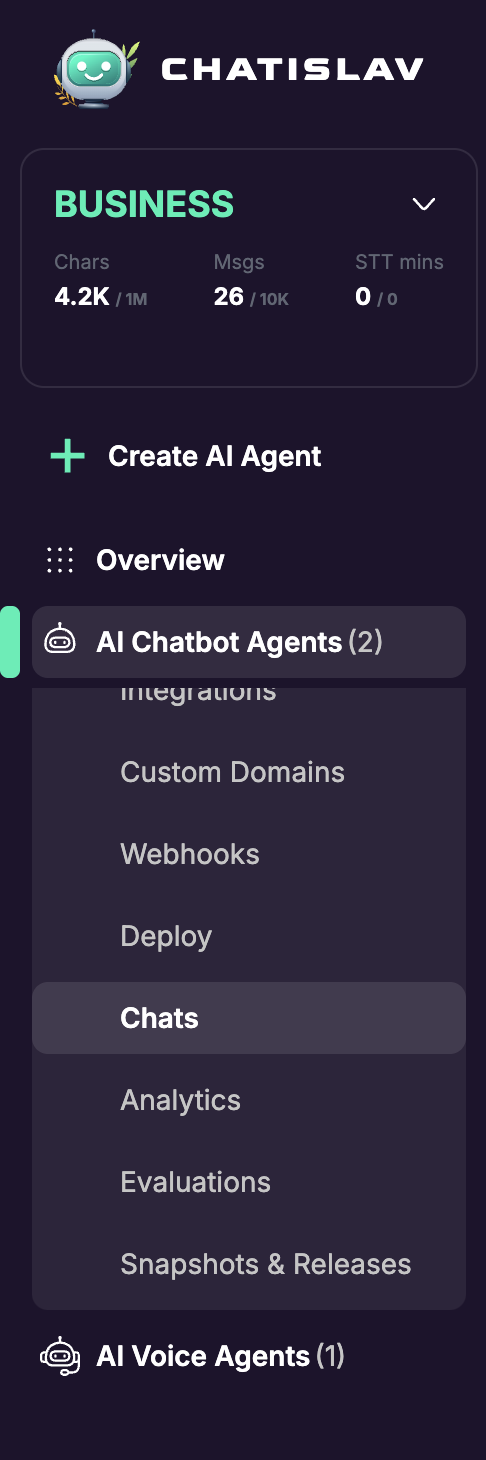
Open the selected chatbot agent, scroll the sidebar menu, and click Chats.
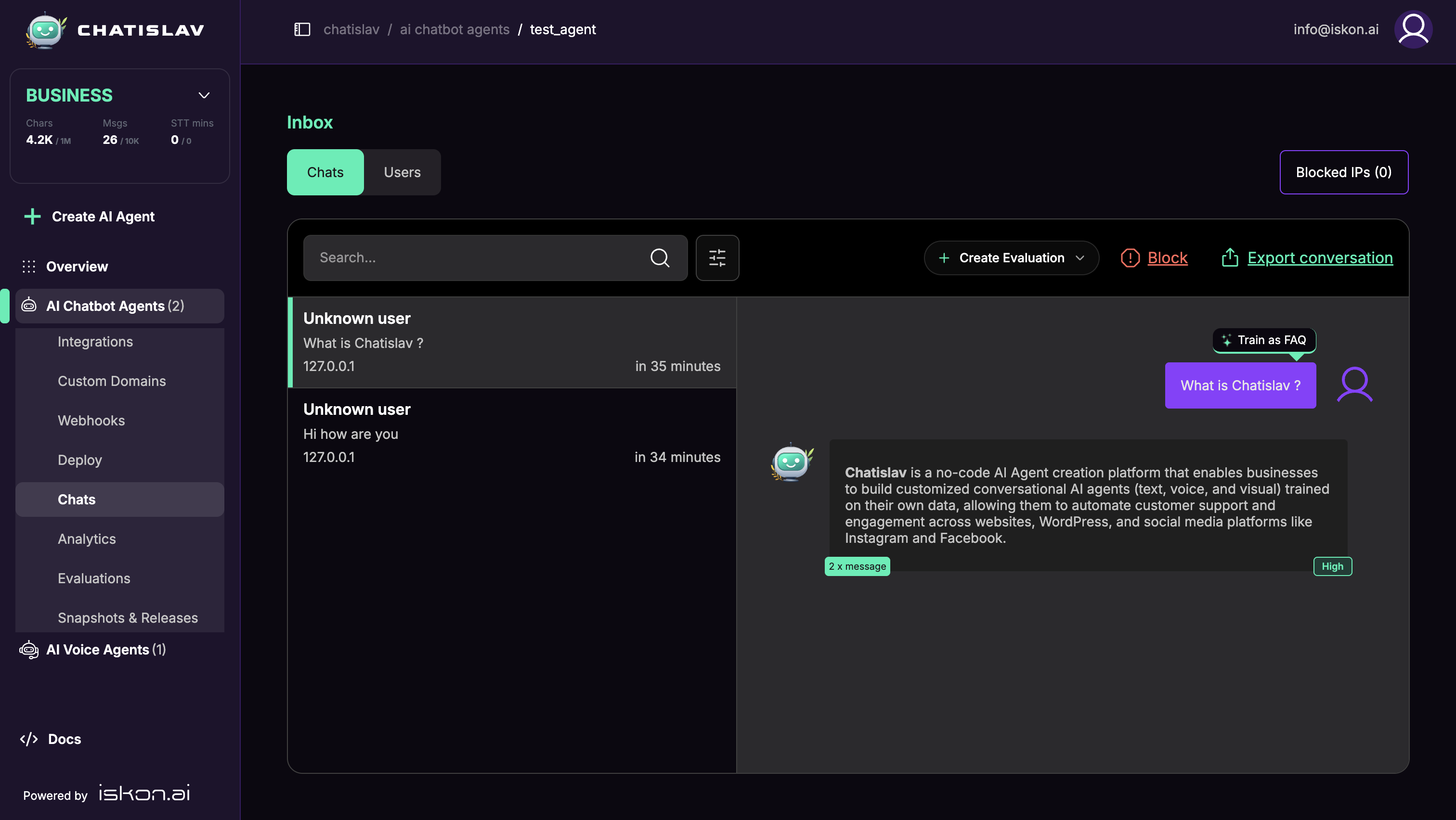
Select the conversation and message you want to improve. Click Train as FAQ above the user question.
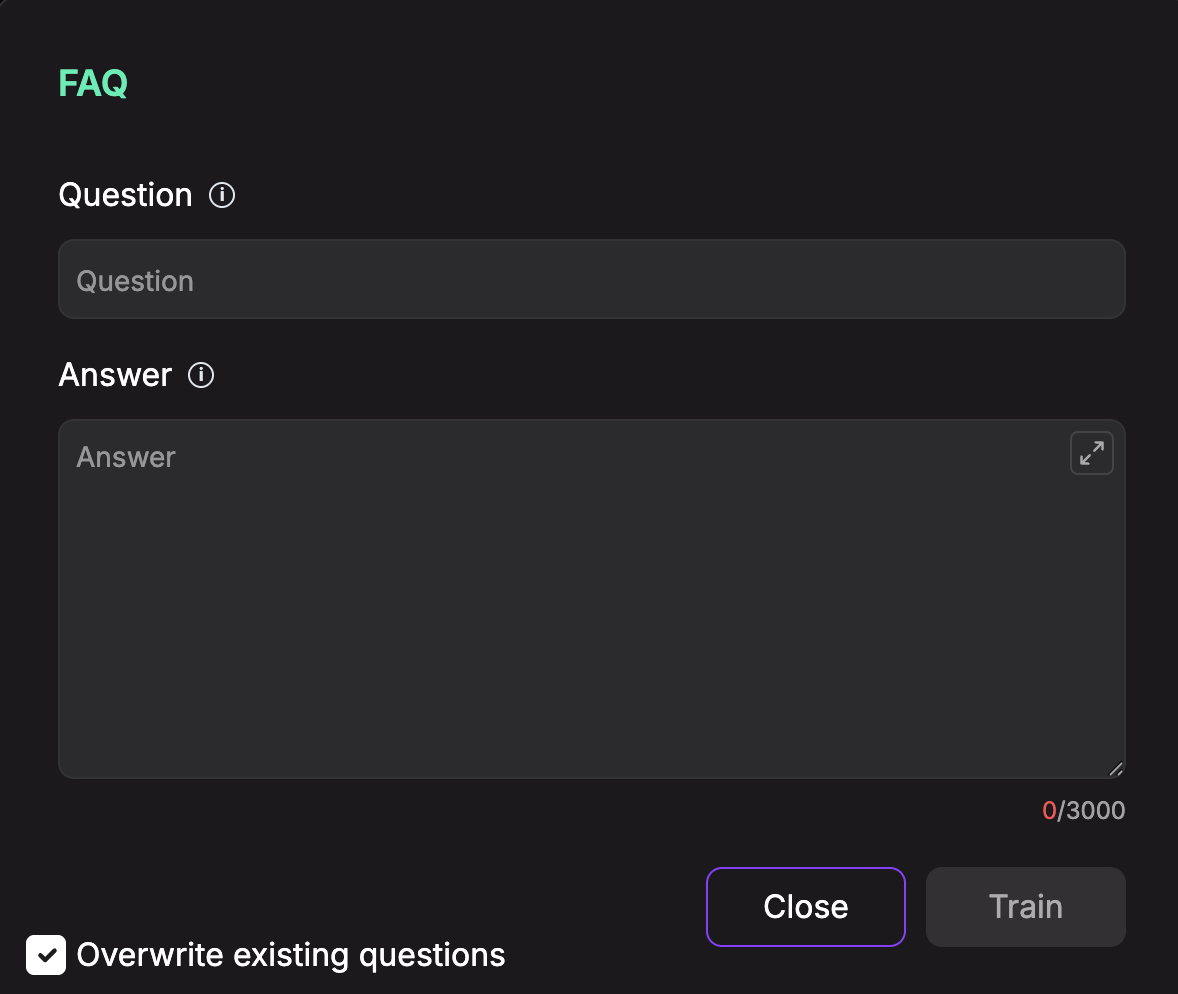
The FAQ modal opens with fields for Question and Answer. Add or edit the answer, choose whether to overwrite existing matching questions, then click Train.
Add a FAQ Manually
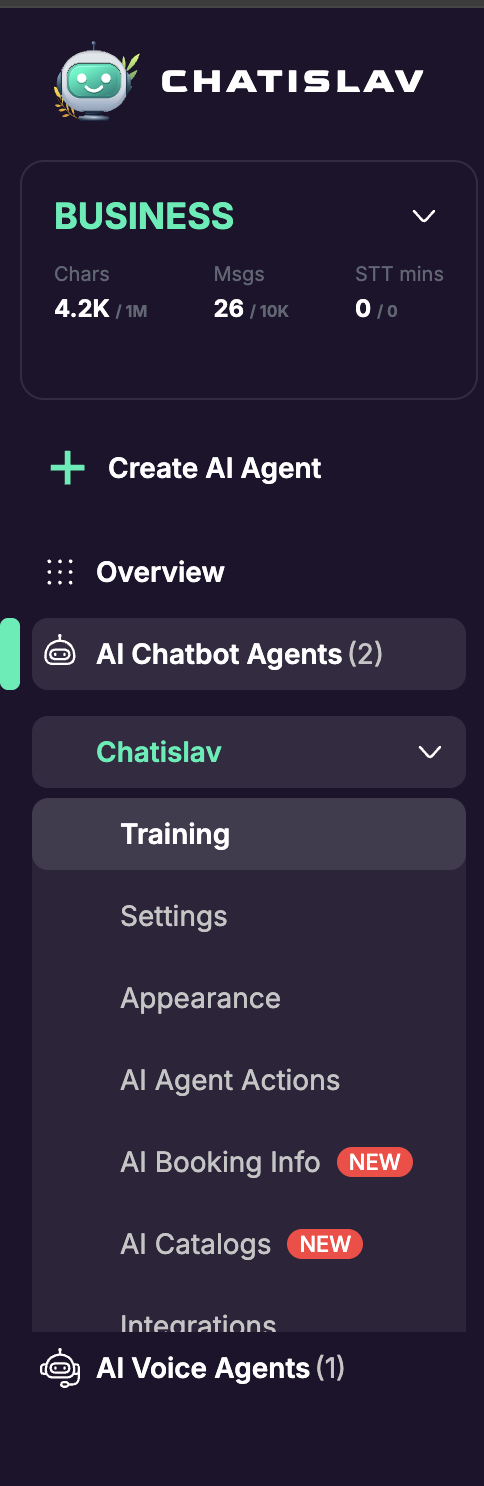
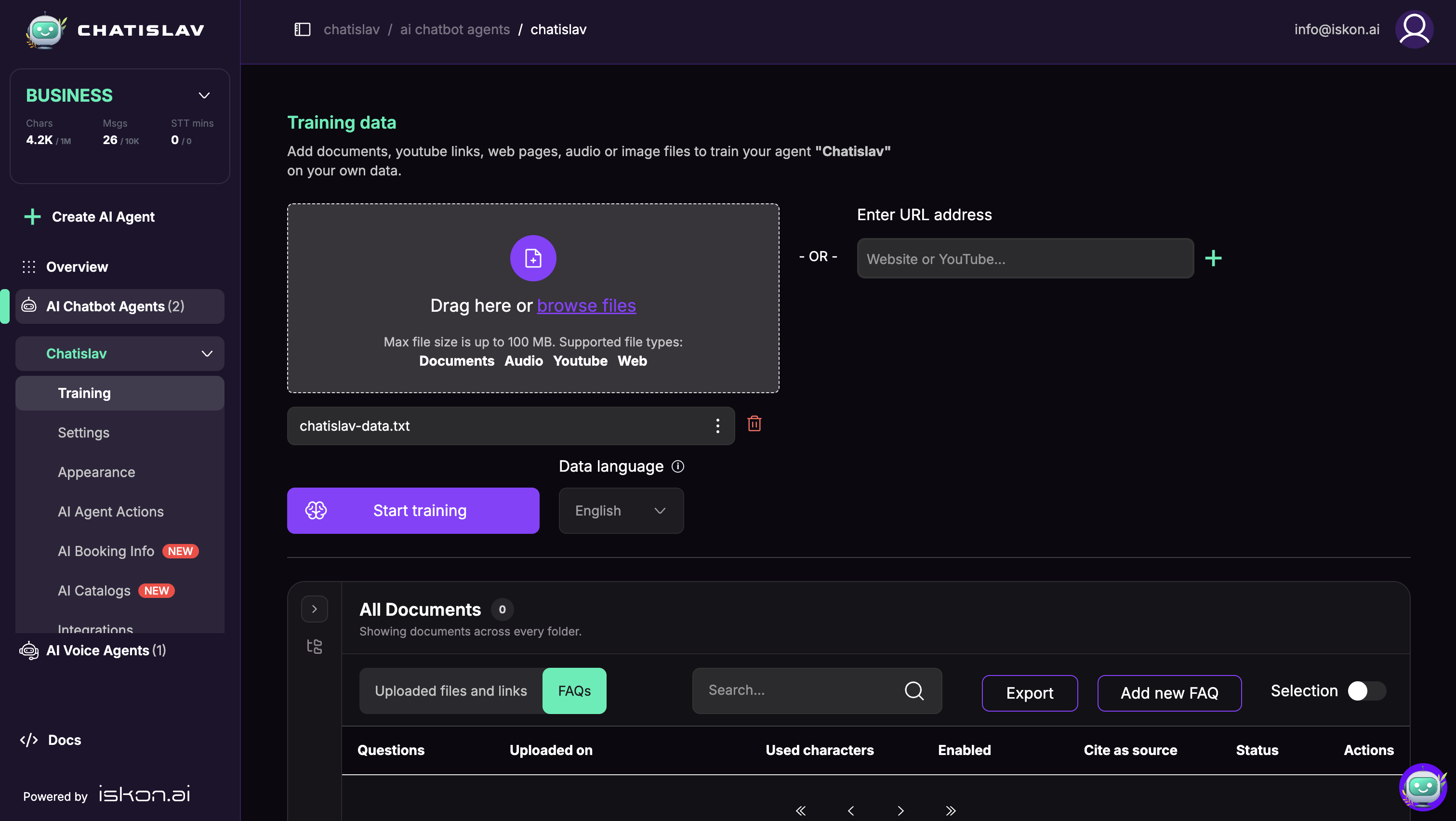
Open the agent's Training page from the sidebar.
In the lower document table, switch from Uploaded files and links to FAQs.

Click Add new FAQ, enter the question and answer, then click Train.
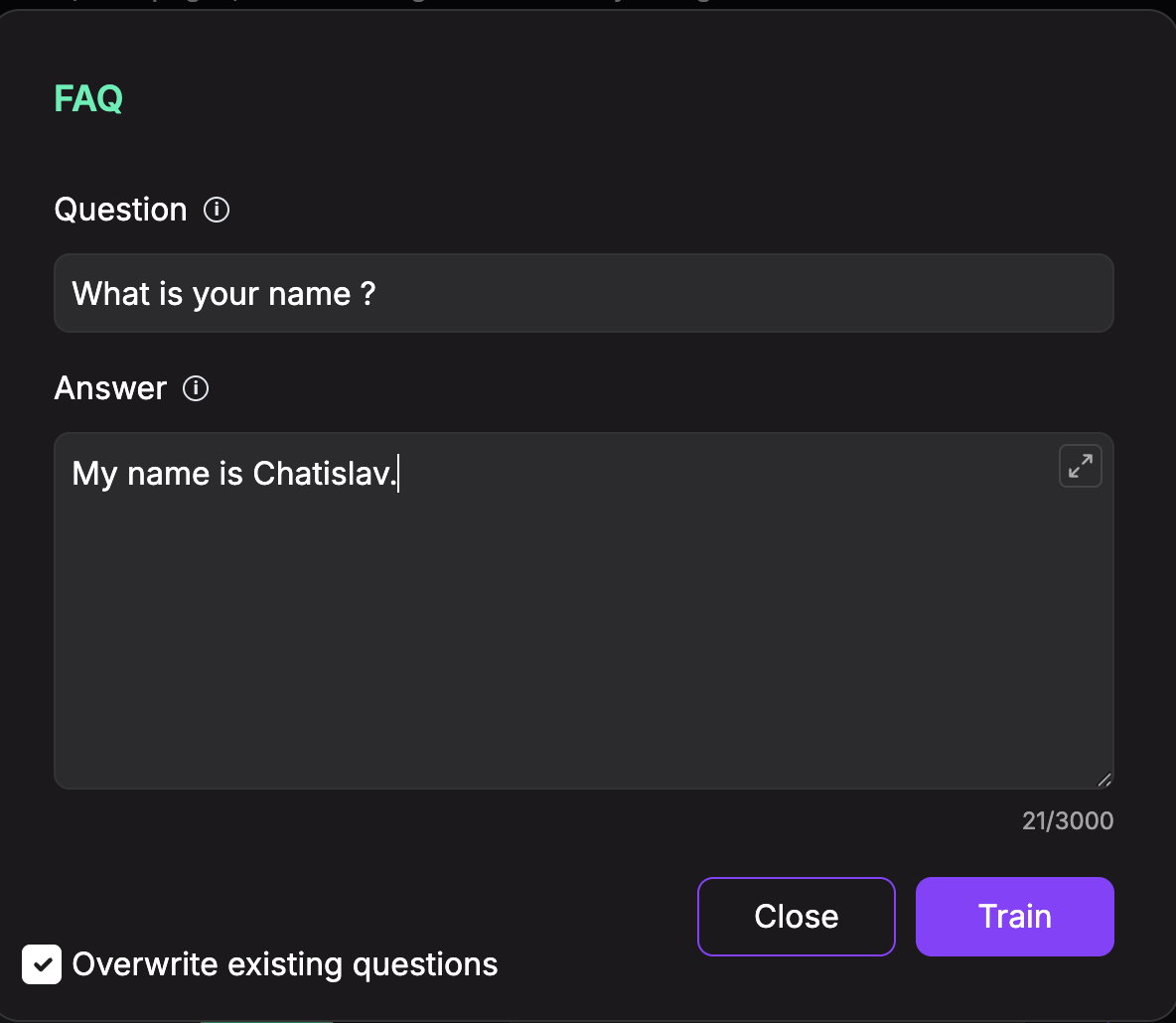
The answer field supports up to 3000 characters. Enable Overwrite existing questions when the new entry should replace an existing FAQ with the same or matching question.
Import FAQ Content From a File
You can also upload a file that contains FAQ-style content. A simple format is:
Question: What is your return policy?
Answer: You can return unused items within 30 days.

Question: Do you ship internationally?
Answer: Yes, international shipping is available for supported countries.
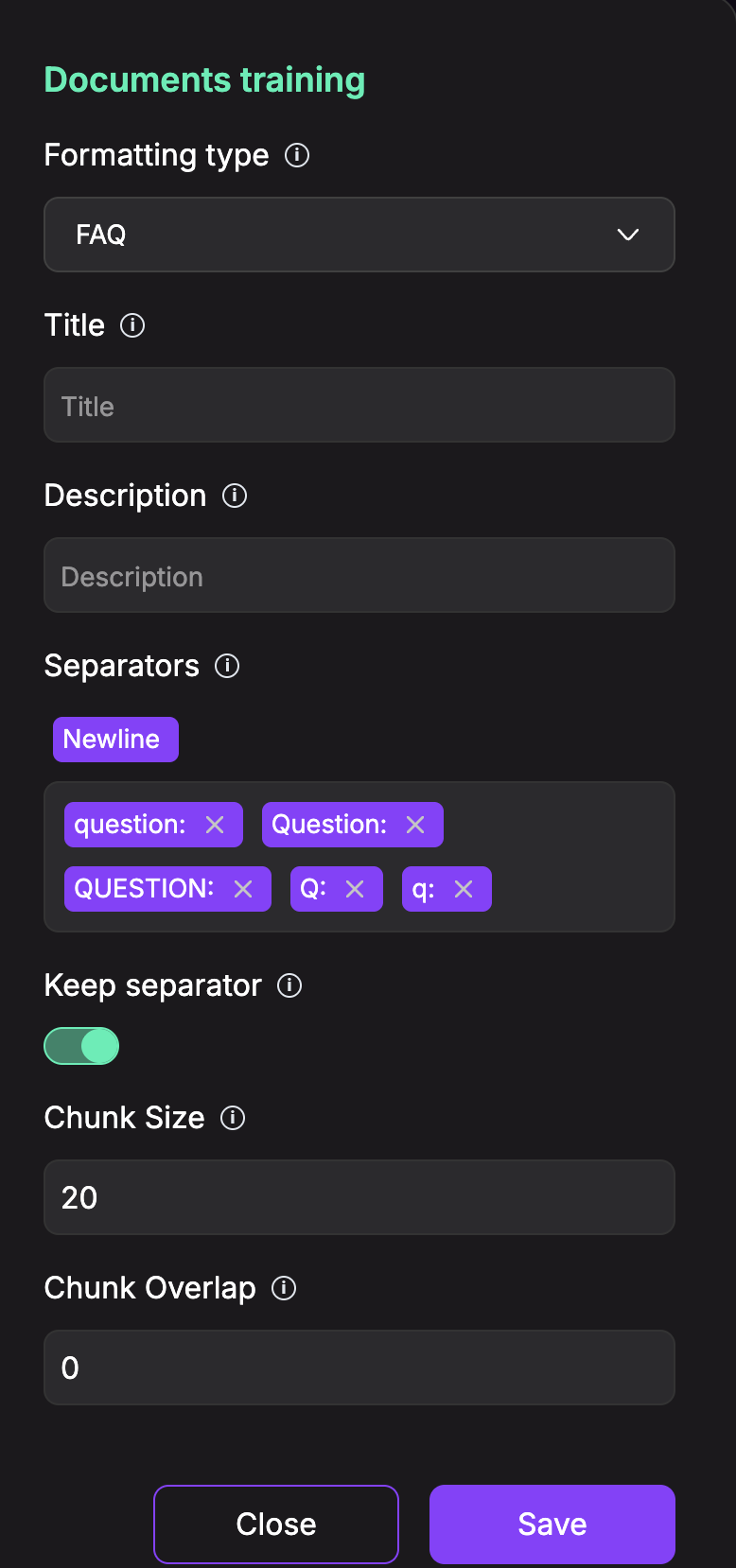
Upload the file on the Training page. Before starting training, open the file options menu if you need to adjust how the content is parsed.
In Documents training, set Formatting type to FAQ. The FAQ formatter uses question separators such as question:, Question:, QUESTION:, Q:, and q: to split the file into question-and-answer chunks.
Save the formatting settings, confirm the data language, and click Start training.
Manage FAQs
The FAQs tab includes:
- Search for finding specific FAQ entries.
- Export for downloading FAQ data.
- Add new FAQ for creating a question-and-answer pair manually.
- Selection for bulk actions.
- Per-entry controls for managing trained FAQ items.
Use FAQs for high-confidence answers that should stay consistent across conversations. For broader documents, web pages, or catalogs, use the matching training or data feature instead.